How to Disable
Right Click on Images
Learn how to prevent right-clicking on WordPress images using ThumbPress and
supercharge your website user experience instantly!
Install and Activate ThumbPress
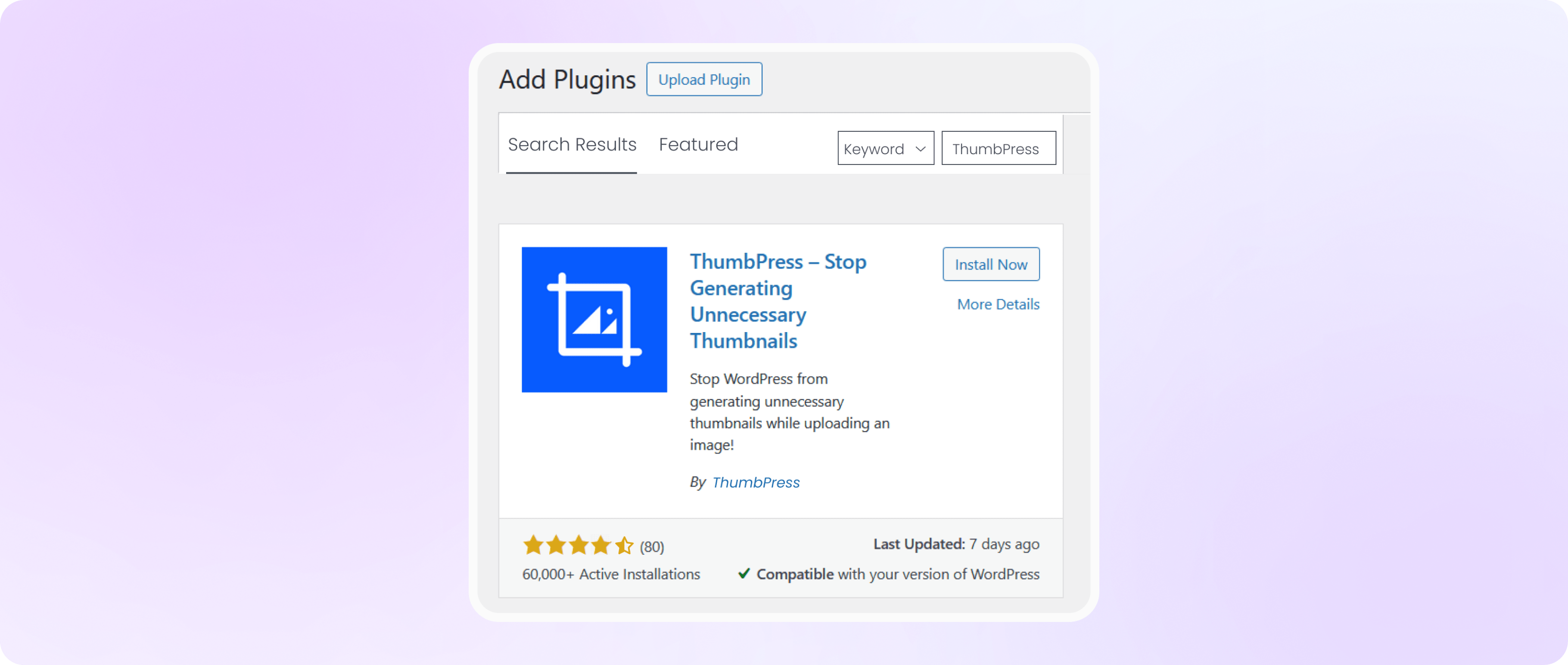
First, you need to install ThumbPress on your dashboard. To install and activate ThumbPress
Go to Dashboard > Plugins > Add New Plugin and search for ThumbPress in the search bar on the top right of the screen. Click Install Now and then Activate ThumbPress.
Allow Disable Right Click on Images
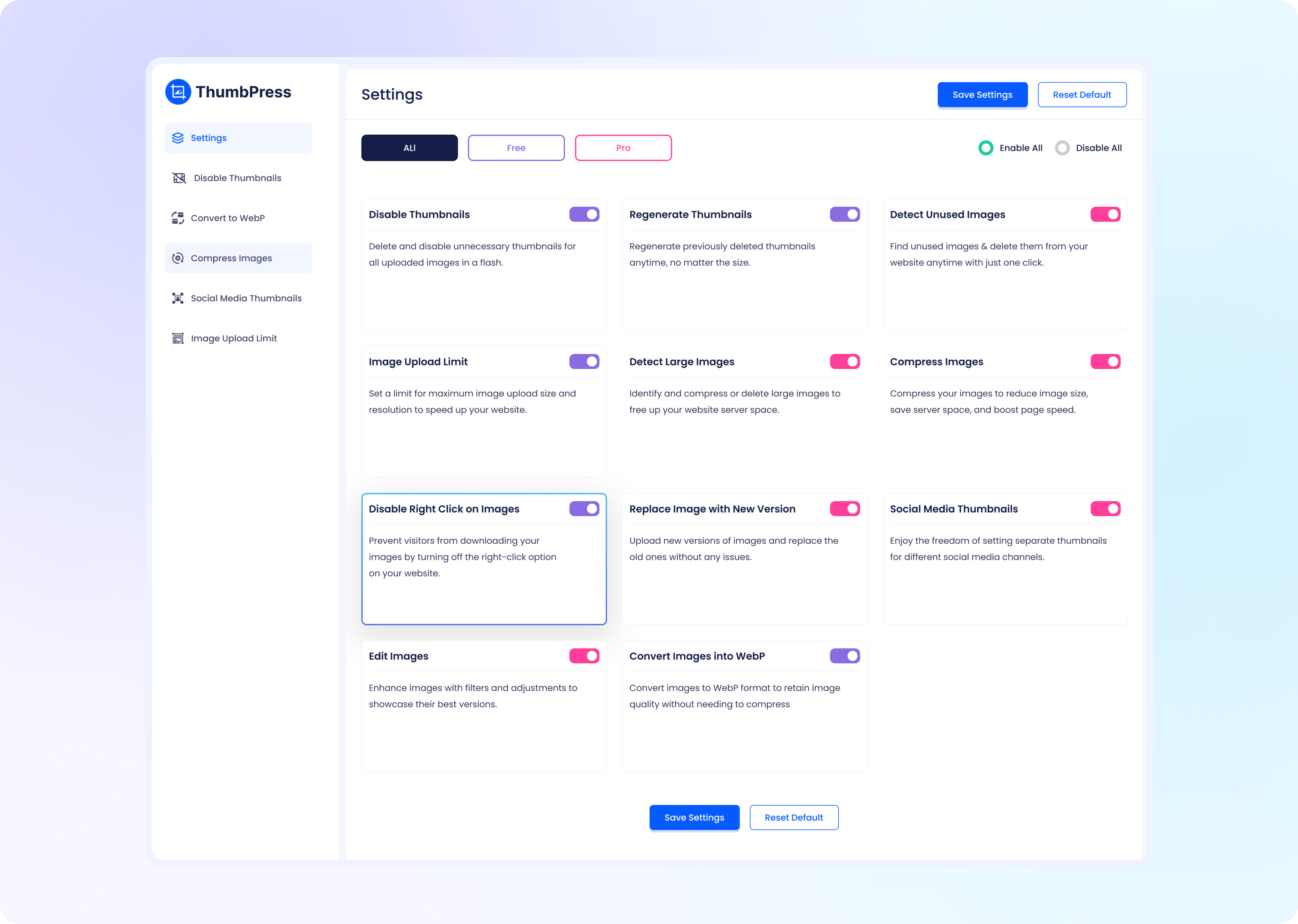
Navigate to ThumbPress > Settings to enable ‘Disable Right Click on Image’ and
click Save Settings to apply the feature on your website.