
A customer asks how to activate a license. Your documentation already explains it, but an agent still has to find the article and write a reply. When similar questions keep arriving, they compete with bugs and account issues for your team’s time.
NiroHelp – an AI-native helpdesk for WordPress, connects those questions to the documentation you have already written. It brings a knowledge base, support tickets, an AI chatbot, and an AI ticket auto-responder into WordPress. Customers can look up an answer, ask the chatbot, or submit a ticket. Your team handles the questions that need further attention.
This article explains how those features work together, what the free plugin includes, and what to check before enabling AI.
What Is NiroHelp?
NiroHelp is an AI-native WordPress helpdesk built around three connected parts: Documentation + Support Tickets + AI
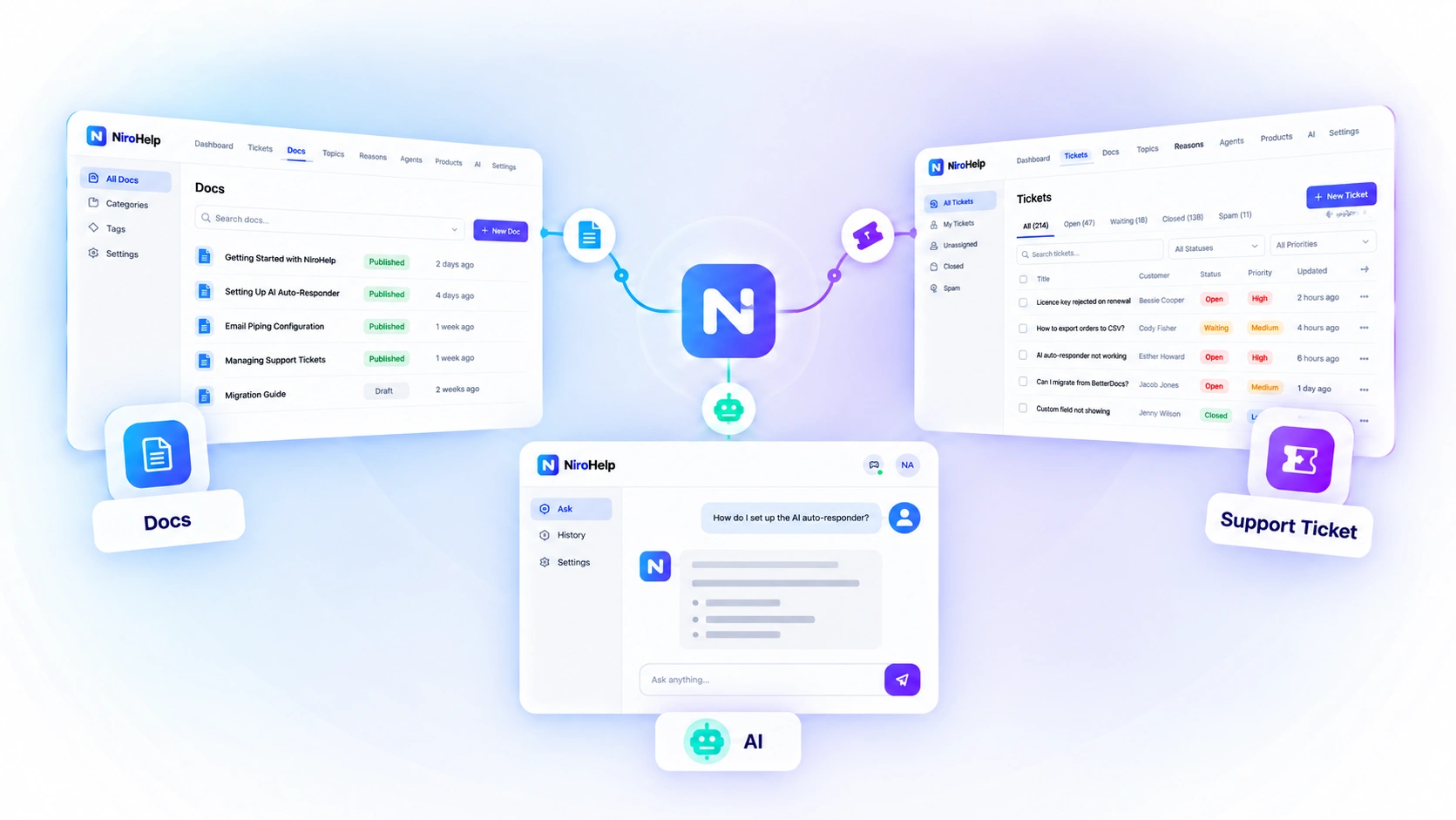
You create your product documentation inside NiroHelp. Customers can search those docs themselves, ask questions through an AI chatbot, or open a support ticket when they need help.
Once a ticket is created, NiroHelp’s AI can also use your published documentation to determine whether it can answer the customer’s question automatically.
If it can, it replies.
If it can’t confidently answer, it stays quiet and leaves the ticket for your support team. That makes NiroHelp different from simply adding an AI chatbot to a website.
The AI is connected to your support knowledge and your support workflow.
Together, these features make NiroHelp an AI-native WordPress helpdesk rather than a standalone ticketing or chatbot tool.
What makes NiroHelp an AI-Native Helpdesk for WordPress Support?
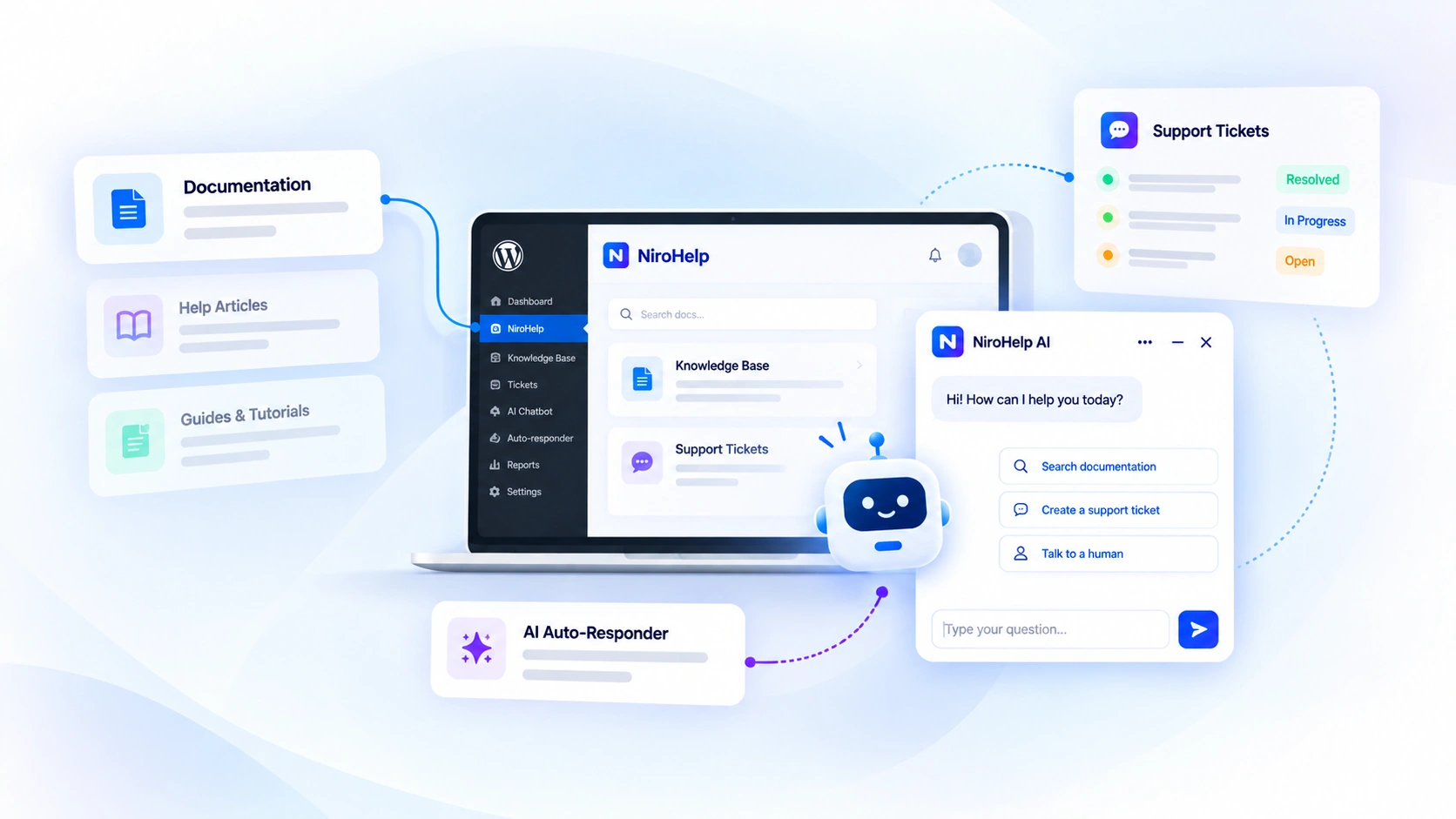
NiroHelp is an AI-native WordPress helpdesk that brings your Knowledge Base, support tickets, AI Chatbot, AI Auto-Responder, and email support into one place. The idea is simple: your documentation becomes the source of knowledge, AI handles questions it can confidently answer, and human agents step in when needed.
This helps businesses reduce repetitive support work, give customers faster answers, and let support teams focus on issues that require human attention.
1. Knowledge Base: Organize the Answers Customers Need
NiroHelp’s knowledge base lets you publish help articles inside WordPress. You can group them by product and topic, then give customers a searchable place to find instructions.
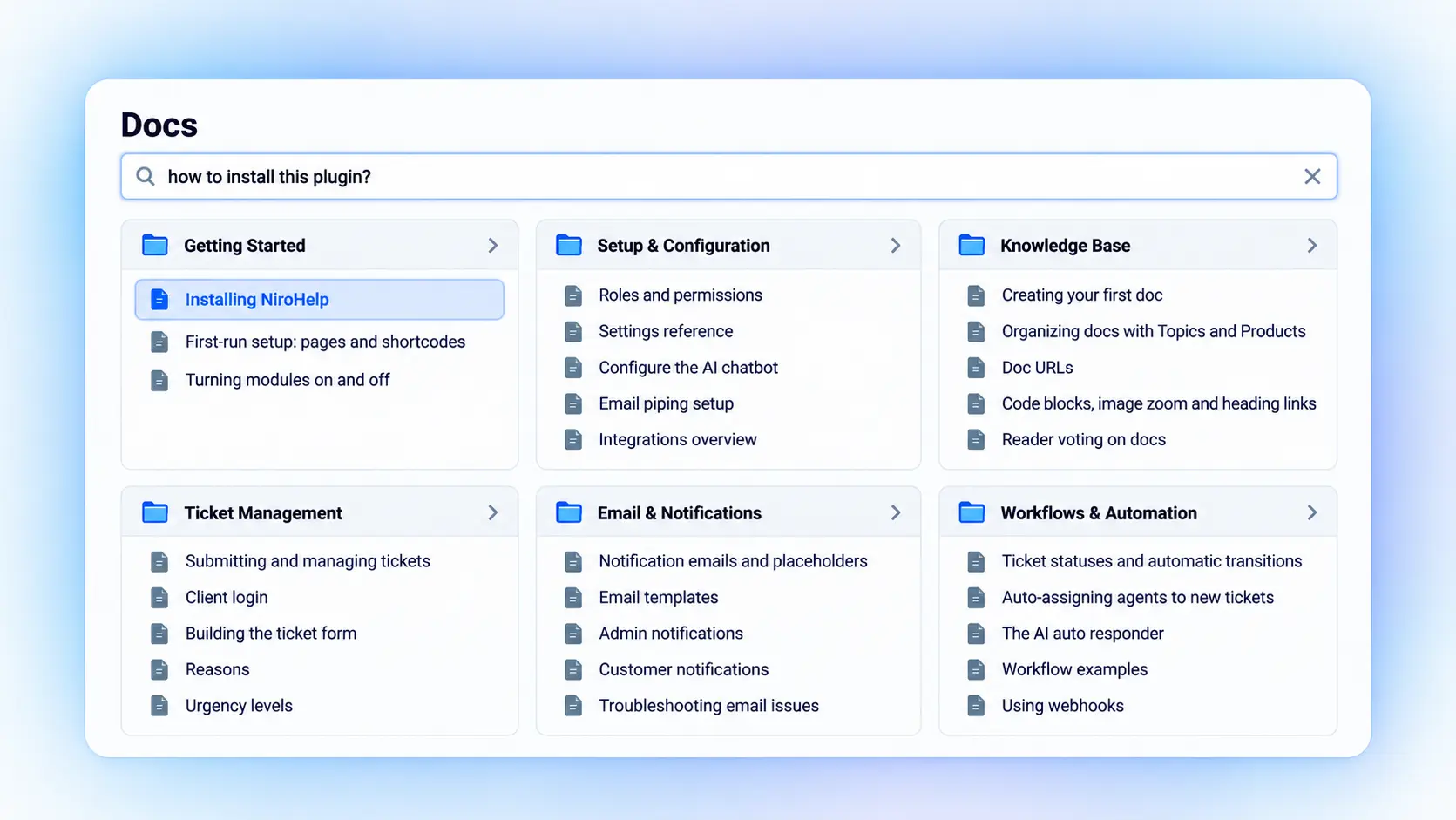
For a plugin business, that could include installation, license activation, settings, and troubleshooting. Images and code examples help explain steps that text alone may leave unclear.
Readers can mark articles as helpful or unhelpful. Those votes give your team a reason to revisit an article, especially when customers still open tickets after reading it.
This makes the Knowledge Base an important part of the AI-native WordPress helpdesk, because the same documentation can support both customers and AI.
2. Support Tickets: Collect the Details Your Team Needs
Some issues need investigation. A customer may report a failed update, an account problem, or behavior that your documentation does not cover.
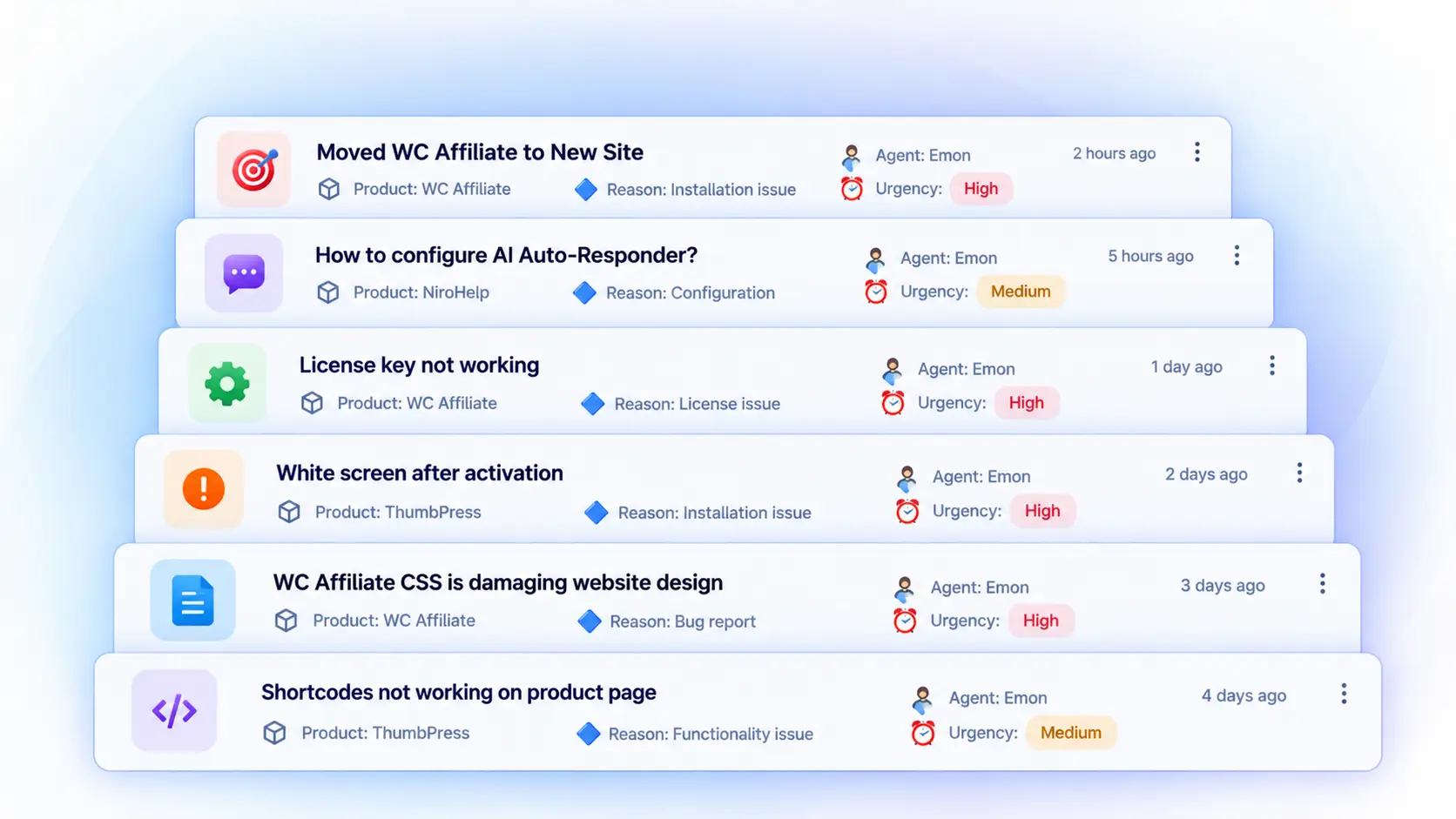
NiroHelp’s support ticket system gives customers a form on your website. You can request details such as product, order ID, urgency, and attachments. Custom fields can collect a plugin version or affected URL.
Ask only for information your team will use. A clear form can reduce follow-up questions without making support difficult to reach.
Agents can search and filter the queue, view ticket status, and manage replies. Automatic assignment supports random, round-robin, and least-loaded routing. Per-agent limits help control how many tickets each person receives.
Customers can follow conversations in their ticket portal. Passwordless access is available through an email code or magic link. Branded email notifications keep them informed about replies and ticket updates.
3. AI Chatbot: Answer Questions While Visitors Browse
The AI chatbot gives visitors another way to use your documentation. Instead of finding the right article, they can ask a question in their own words.
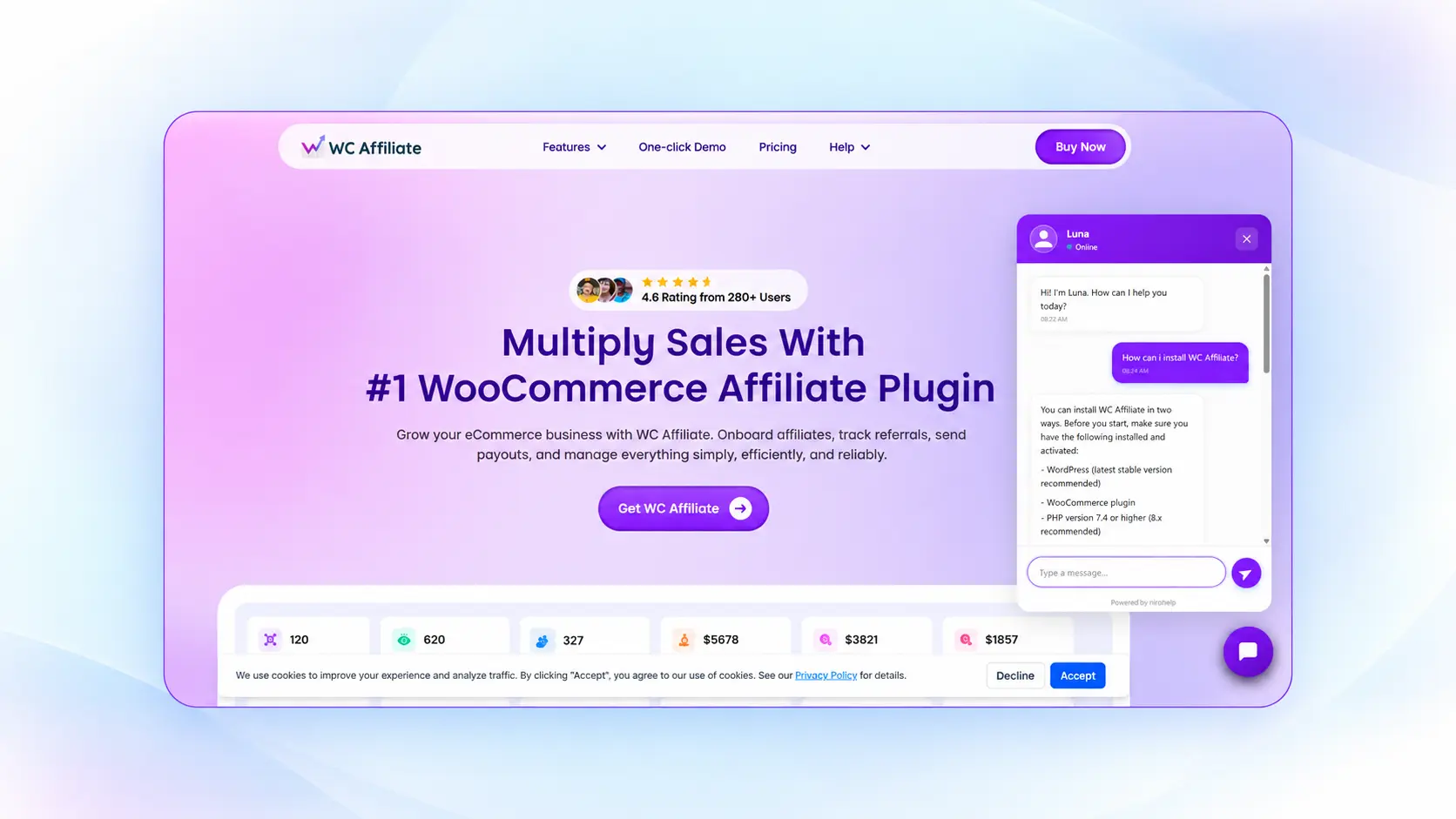
For example, a customer might ask, “How do I move my license to another website?” The chatbot can respond using the instructions in your synced documentation.
You can adjust its name, avatar, colors, welcome message, and suggested questions. Page targeting controls where it appears. This lets you offer chat on help pages while hiding it elsewhere if needed.
For WordPress sites, NiroHelp offers a small chatbot extension plugin. A script embed is also available for other websites.
When the chatbot cannot help, it can point visitors to your support email or ticket page. That gives them a next step without suggesting that a live agent has joined the chat. This keeps the chatbot connected to the wider AI-native WordPress helpdesk, rather than operating as a separate support tool.
4. AI Auto-Responder: Handle Documentation-Based Ticket Questions
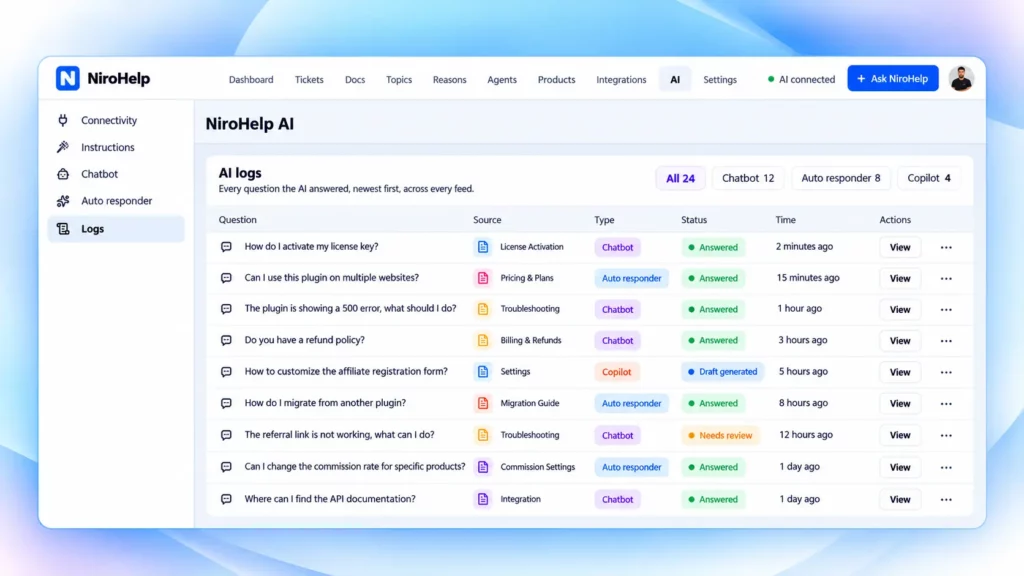
Some customers will open a ticket even when the answer is available in your help center. The AI auto-responder checks those questions against your synced documentation.
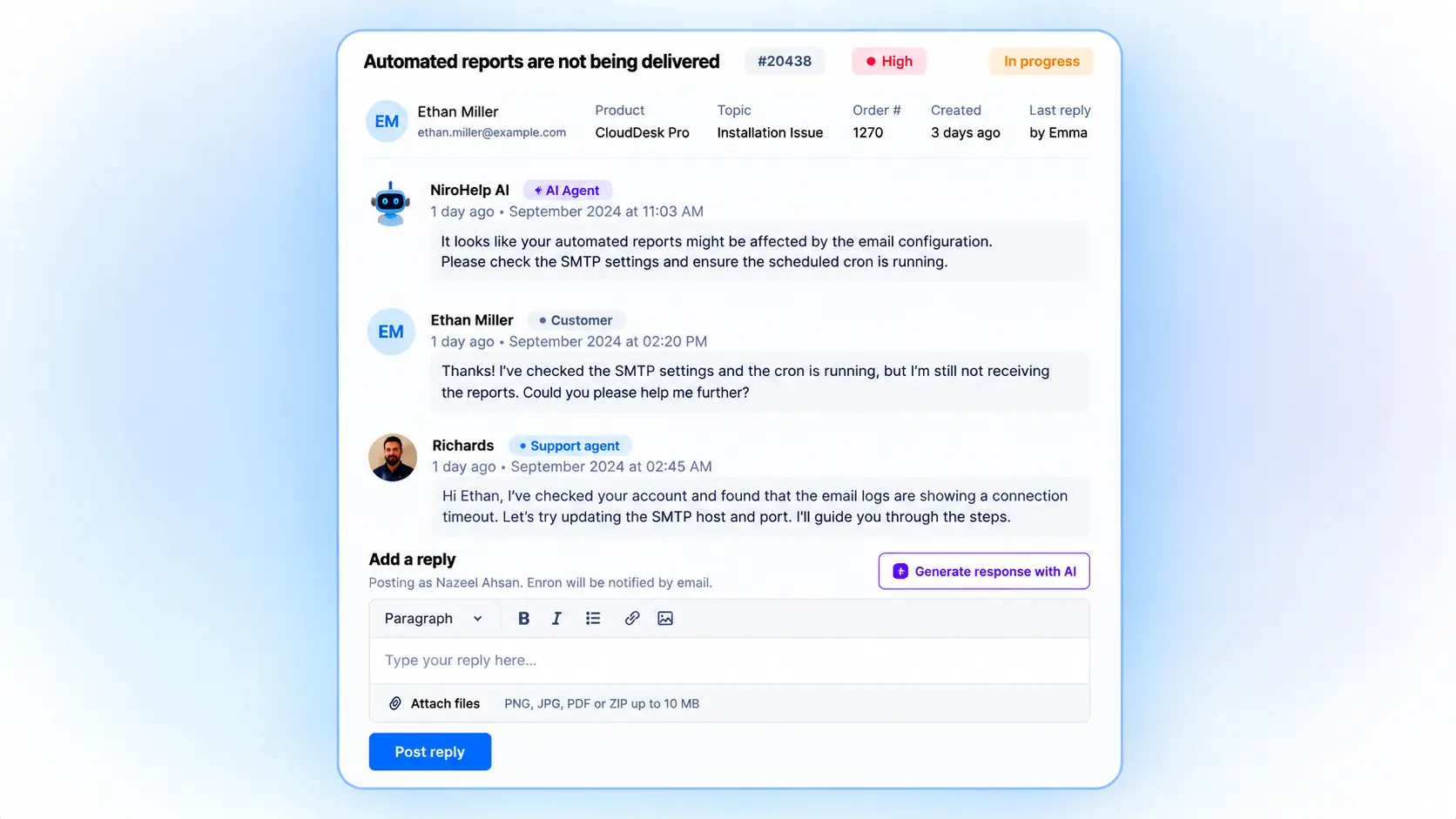
When a new ticket or customer reply arrives, the system evaluates whether the docs support an answer. It compares the match with your configured confidence threshold.
If the score clears that threshold, the response can be posted after your chosen delay. Otherwise, no answer is posted, and the ticket remains in the queue for an agent.
You can set the threshold from 0 to 100%. The documented default is 70%, with a five-minute response delay. These are settings, not measured accuracy rates. A score above the threshold does not guarantee a correct answer.
An agent’s reply cancels the pending AI response. Agents can therefore take over a conversation without a delayed automated reply interrupting it. This is a core part of how an AI-native WordPress helpdesk can combine automation with human support.
Start with questions your docs answer clearly. Review the replies before relying on automation across a wider range of tickets.
5. Dashboard and Ask NiroHelp: Review the Work That Needs Attention
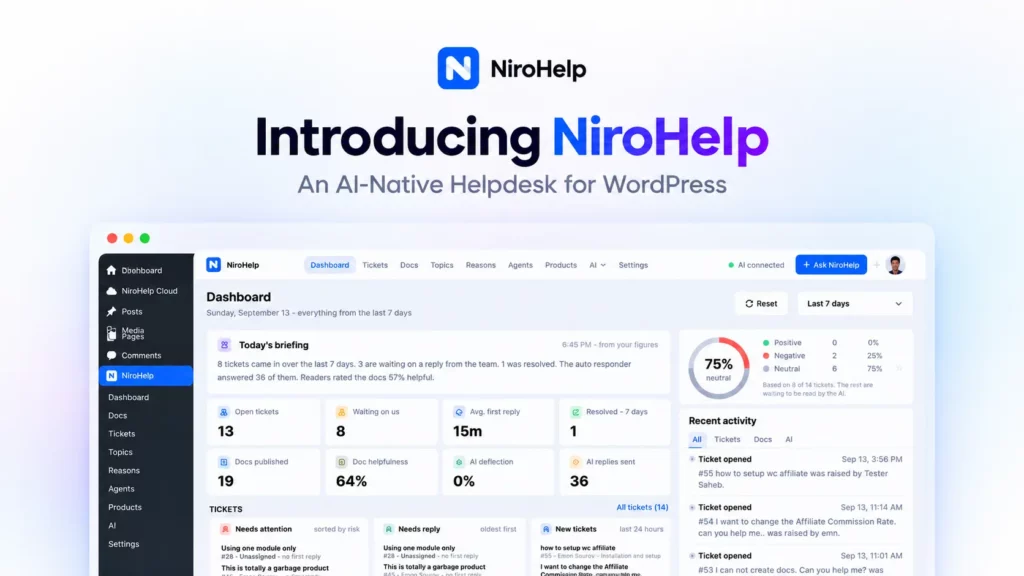
The support dashboard brings ticket activity and documentation metrics into one view. Teams can review open tickets, response times, resolved tickets, and article feedback.
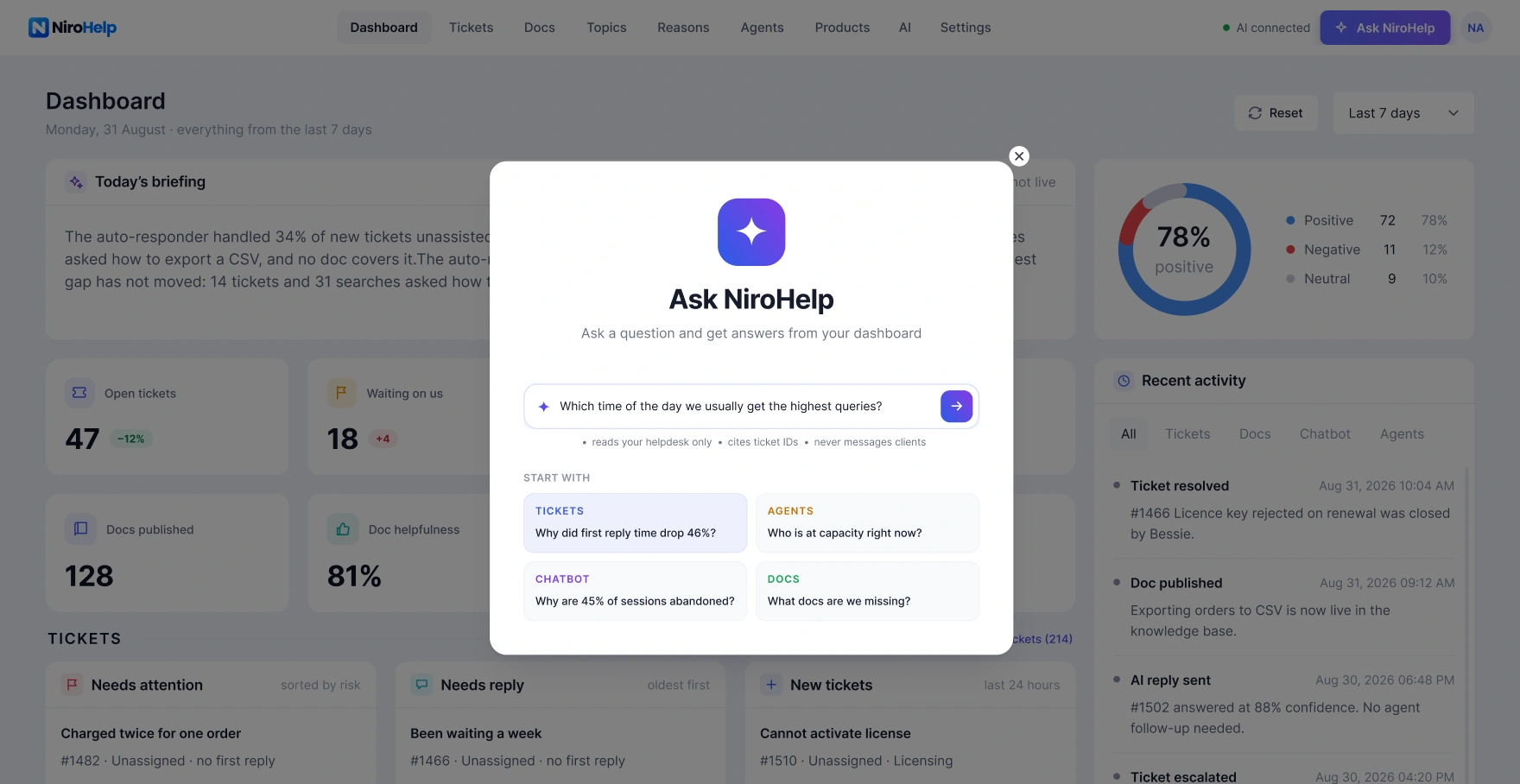
Queues such as Needs Attention, Needs Reply, and New Tickets help organize the next steps. Paid AI panels add customer sentiment and AI performance information.
Sentiment labels provide another reason to inspect a conversation. They should support an agent’s judgment, especially when a customer’s wording is unclear.
Ask NiroHelp lets administrators ask questions about support data in plain language. For example, they can ask which customers have waited the longest or which documentation needs attention. Answers identify the data they used, so the team can check the basis for a suggestion.
Use these findings to decide what to investigate. Several tickets about the same setting might point to an unclear article, a product issue, or both.
6. Email Piping: Keep Email Conversations in the Ticket Queue
Customers may prefer to email your support address. With email piping, those messages can become tickets in NiroHelp.
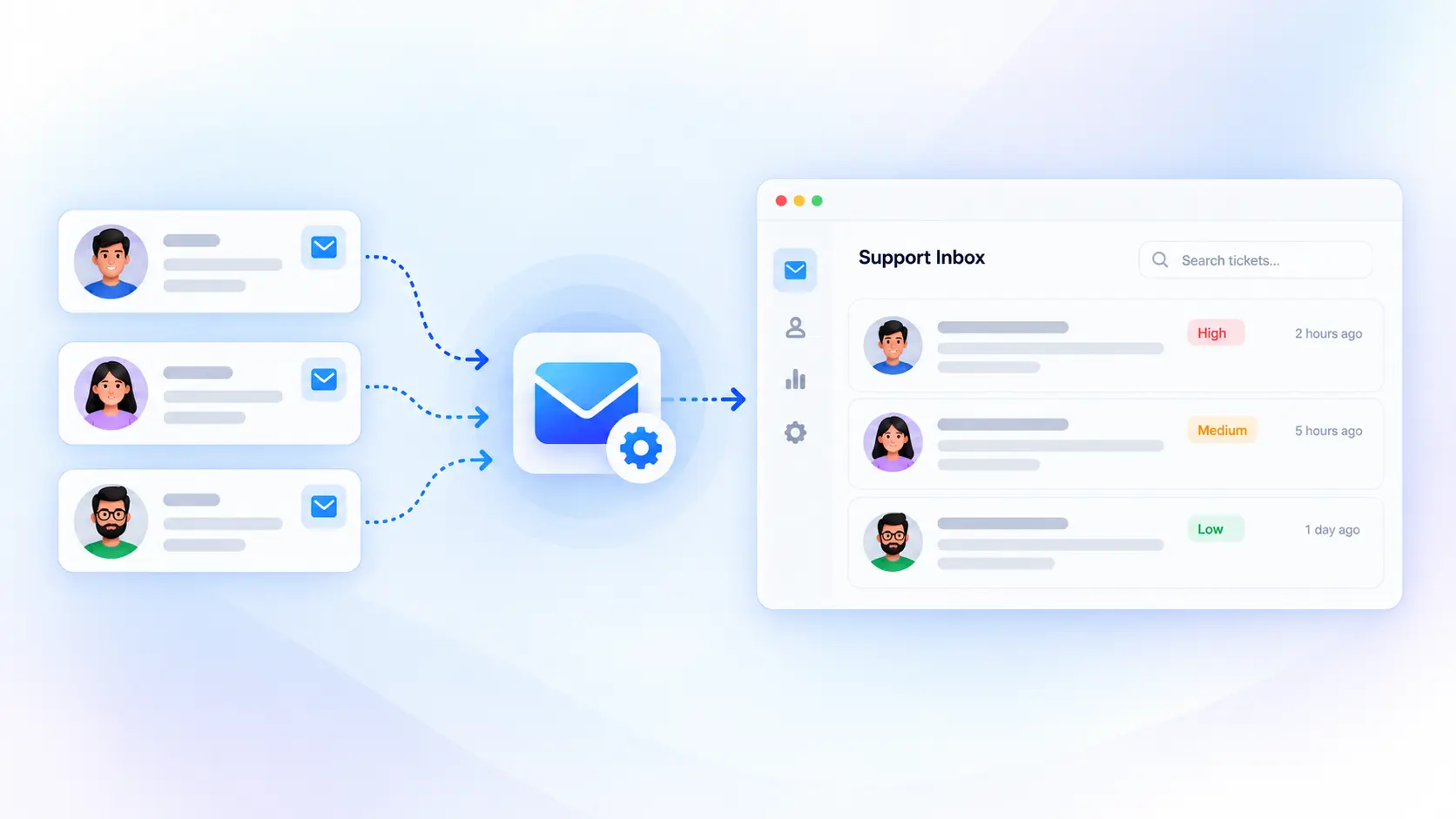
Your team replies from the ticket system, and the customer receives the answer by email. Their next reply returns to the same conversation. Attachments can travel with the message, so screenshots and other supporting files remain available to agents.
This keeps email support connected to ticket assignment, statuses, and reporting. Multiple inboxes can route messages to different groups of agents.
Email piping is a paid feature. It is separate from the free plugin’s ticket notifications. Notifications send updates about a ticket; piping brings incoming email into the ticket system.
What Is Free, and What Requires a Paid Plan?
NiroHelp free plugin includes the knowledge base, ticketing, core dashboard, email notifications, and migration tools. It also includes unlimited agents and tickets.
Paid plans add AI features and email piping. These include the chatbot, auto-responder, reply drafts, sentiment analysis, and Ask NiroHelp.
NiroHelp offers Starter, Growth, and Agency plans. They cover one, five, and ten sites, respectively. AI usage has a monthly credit allowance, so unlimited agents do not mean unlimited AI replies.
When credits run out, AI pauses until the allowance renews. Documentation, ticketing, and manual support continue working.
Check the current plan details for billing options and allowances before choosing. Match the plan to your expected AI usage as well as the number of sites you manage.
NiroHelp vs. Other WordPress Help-desk Plugins
If you’re researching the Best WordPress Help-desk Plugin, NiroHelp isn’t the only option. Fluent Support, SupportCandy, and BetterDocs overlap with different parts of NiroHelp. Comparing their roles is more useful than counting features.
The table covers documented capabilities as of September 21, 2026. “Not listed” means the reviewed sources did not establish that capability. It is not a claim that no integration could provide.
| Capability | NiroHelp | Fluent Support | SupportCandy | BetterDocs |
| Knowledge Base | ✓ | ✓ | Integration | ✓ Core |
| Ticketing | ✓ | ✓ | ✓ | — |
| AI Chatbot | ✓ | AI features | ✓ | ✓ |
| AI Ticket Support | Auto-replies | AI-assisted | AI-assisted | — |
| Email Piping | ✓ | ✓ | ✓ | — |
| Human Handoff | ✓ | ✓ | ✓ | Via integrations |
| Support Dashboard | ✓ | ✓ | ✓ | Analytics |
Pricing Comparison: Best WordPress Help-desk Plugins
If you’re comparing the Best WordPress Helpdesk Plugin for your business, pricing is an important part of the decision. Here’s how the starting annual plans compare:
| WordPress Help-desk Plugin | Starting Yearly Price | Sites | Key Focus |
| NiroHelp | $79.99/year | 1 | Docs, Tickets, Chatbot, AI Auto Responder |
| Support Genix | $118/year | 1 | Tickets + AI + Knowledge Base |
| Fluent Support | $103/year | 1 | Ticketing + Automation + AI |
| Awesome Support | $149/year | 1 | Ticketing + Extensions + AI |
NiroHelp’s Starter plan is currently listed at $79.99/year for one site, with unlimited agents and tickets. The annual price reflects its current 40% early-bird discount. Fluent Support lists its single-site annual plan at $103/year, while Support Genix and Awesome Support list their respective plans separately on their pricing pages.
Pricing note: Prices can change based on promotions, billing terms, and plan updates. Check each provider’s pricing page before purchasing.
Where Does Your Support Data Live?
Documentation and tickets are stored in your WordPress database, with replies stored as comments. The core helpdesk works without an external service account.
AI features connect to NiroHelp Cloud for processing. You do not need a separate OpenAI or Anthropic API key. This means the helpdesk is WordPress-based, but its AI processing is not entirely local.
Can You Move Existing Docs and Tickets?
NiroHelp provides migration tools for BetterDocs, weDocs, Echo Knowledge Base, BasePress, Awesome Support, SupportCandy, and JS Help Desk.
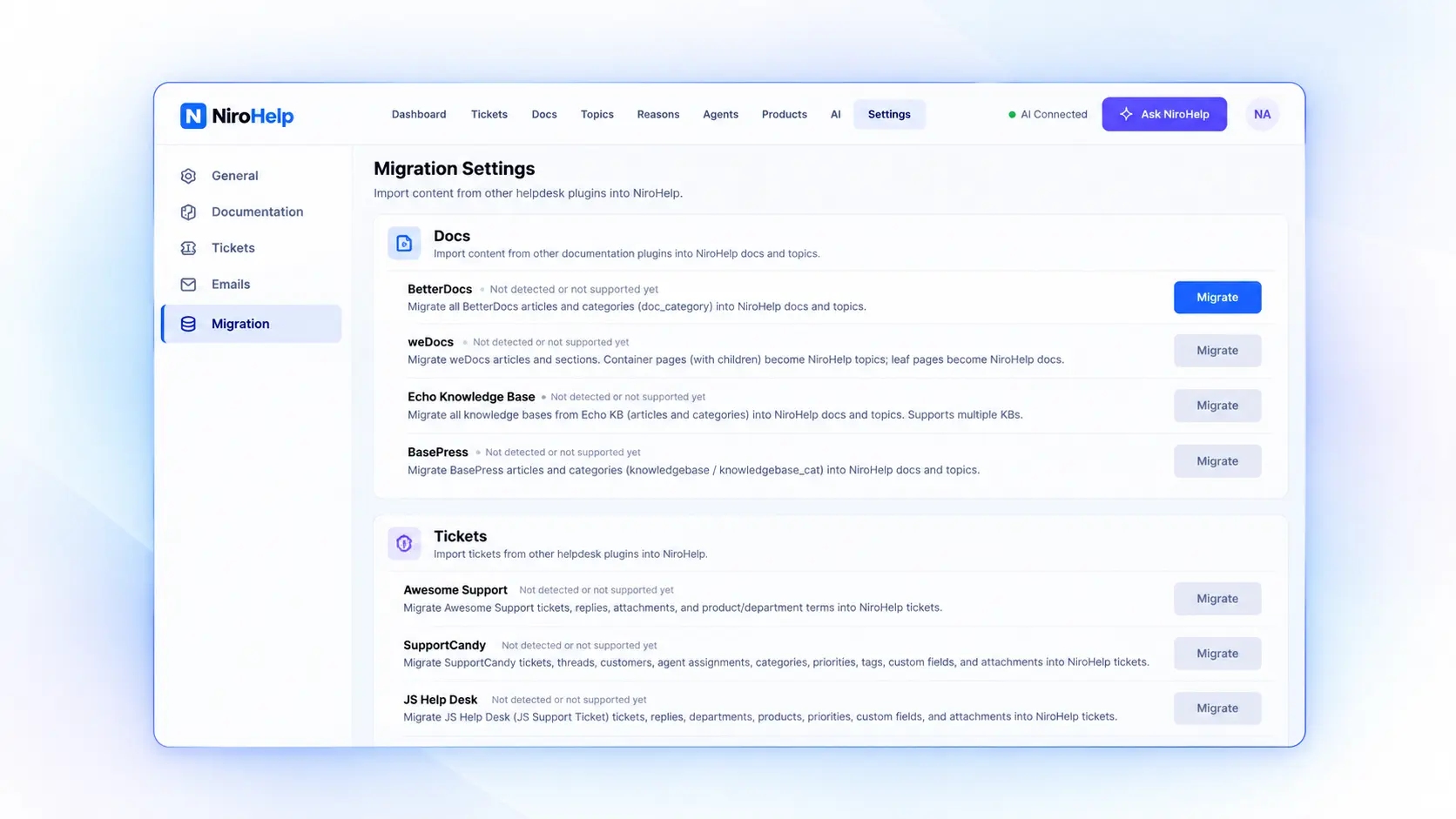
What transfers depends on the source plugin. Documentation imports and ticket imports contain different types of records, so check the relevant migration guide first.
Back up your site and review the imported content before removing the old system. Check article formatting, ticket threads, attachments, and assignments. Keeping the old records available during this review makes it easier to spot missing information.
What Should You Check Before Enabling AI?
Start with your most common customer questions. Make sure each has a clear, current answer in your documentation. Describe the actual steps, including any limits or exceptions that customers need to understand.
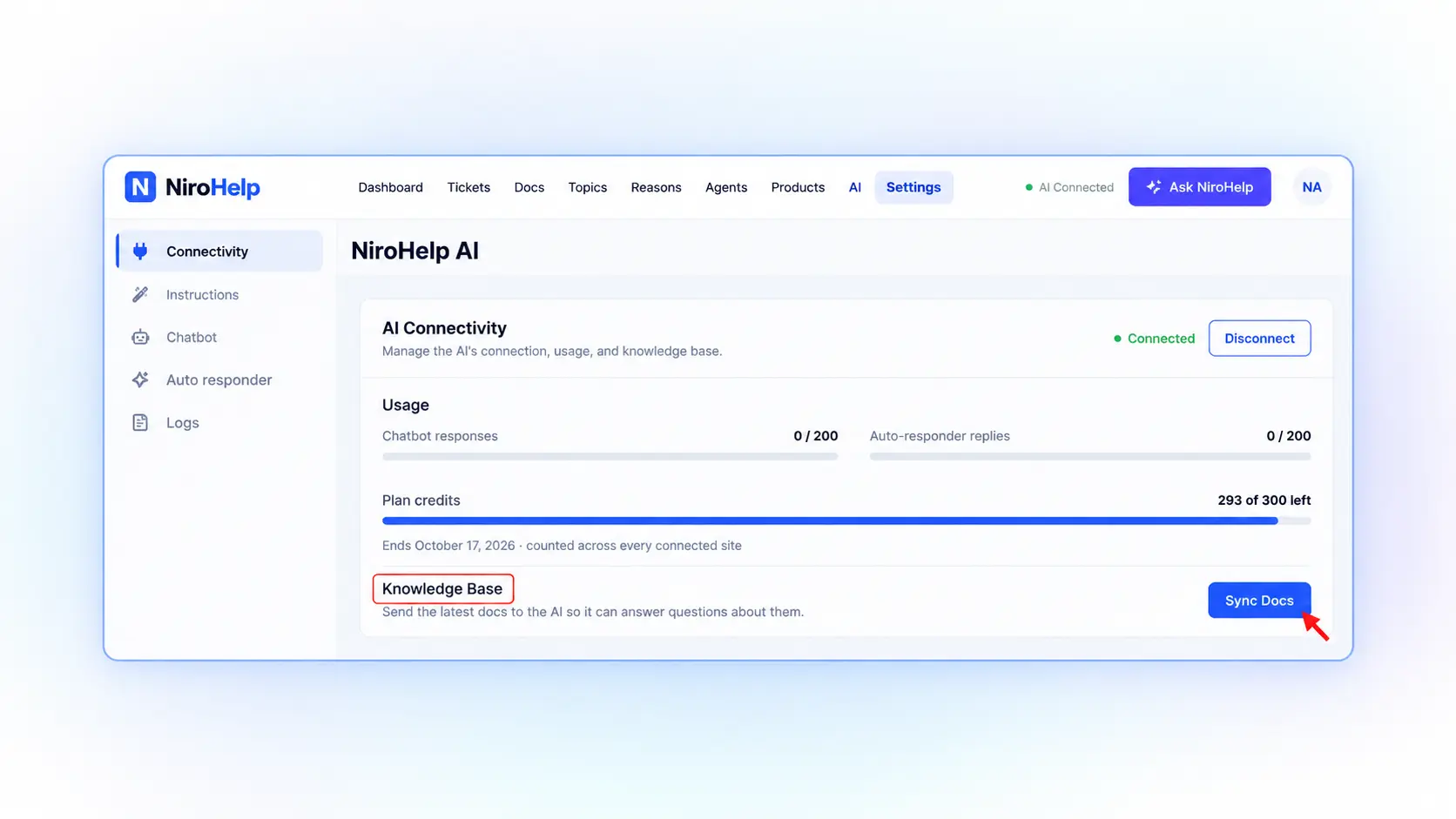
Next, sync those articles with NiroHelp’s AI service. The documentation sync guide explains that syncing is manual. After editing or publishing an article, sync again so the AI can use the updated content. Drafts and private articles are excluded.
Then test questions taken from real support conversations. Include unclear questions and issues that the docs cannot answer. Review both the answers sent and the cases left for your team.
As support activity builds, use customer feedback and ticket patterns to improve the articles. A recurring question may need a clearer explanation, even if an article already exists.
Final Words: Is NiroHelp a Fit for Your Team?
NiroHelp is an AI-native WordPress helpdesk for WordPress product businesses, agencies, and stores that receive recurring support questions. Its main appeal is the connection between documentation, customer conversations, and AI assistance.
Teams still need people to maintain the docs, review automation, and investigate individual problems. If you are starting without documentation, building those articles is an essential part of the setup.
You can install the free plugin from WordPress.org to organize your documentation and tickets first. Once those are in place, you can evaluate paid AI features against the questions your customers actually ask.
Frequently Asked Questions
NiroHelp is an AI-native WordPress helpdesk that combines a knowledge base, ticketing, AI chatbot, AI auto-responder, email piping, and support tools in one place.
NiroHelp uses your Knowledge Base as its source of information, helping AI provide answers based on your existing documentation.
If AI isn't confident enough, it doesn't guess. The issue can be left for a human agent to review and handle.
Yes. NiroHelp provides migration tools for supported WordPress helpdesk and knowledge-base plugins, making it easier to move your existing docs and tickets.
No. NiroHelp's AI features work through NiroHelp Cloud, so you don't need to provide your own OpenAI or Anthropic API key.
Yes. The free plugin includes documentation, ticketing, migration tools, and unlimited agents and tickets. Paid plans add AI features and email piping.
