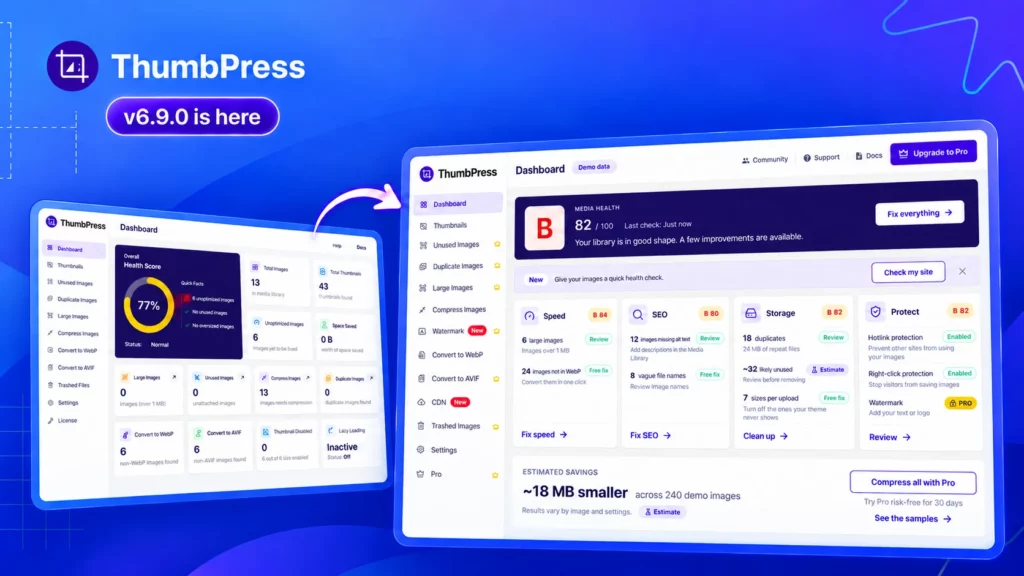
Your WordPress media library keeps growing, but it’s not always clear which images need attention. Missing alt text, duplicate uploads, and forgotten files can easily go unnoticed.
ThumbPress 6.9 introduces watermarking for Pro users, along with a redesigned dashboard, a guided Site Image Checkup, and more detailed image reports. You can preview a watermark on your own photos, see where your library needs work, and enable helpful free settings with fewer steps.
Let’s take a closer look at what’s new.
What’s New in ThumbPress 6.9?
Here are the highlights before we explore each update:
- Watermark Images (Pro): Add text or logo watermarks with position, size, and opacity controls. Free users can configure and preview before upgrading.
- Redesigned dashboard: See your media library’s letter grade, scores for Speed, SEO, Storage, and Protect, recent activity, and quick actions.
- One-click free settings: Enable helpful free settings together using the “Fix everything” button.
- Detailed image reports: Review missing alt text, vague file names, duplicate storage usage, and an estimated count of unused images.
- Site Image Checkup: Scan your library, review before-and-after previews of your photos, and enable free fixes through a guided process.
Add Text or Logo Watermarks With ThumbPress Pro

If you publish original photography, product images, or branded graphics, you may want your name or logo to appear on those visuals.
The new Watermark Images feature in ThumbPress Pro lets you add a text or logo watermark to your images, with controls to adjust its appearance.
You can configure:
- Text or logo: Choose the watermark you want to display.
- Position: Decide where it appears on the image.
- Size: Adjust how much space it occupies.
- Opacity: Make it subtle or more prominent.
For example, a photographer might prefer a small logo near a corner, while a business sharing product visuals may choose a more visible text watermark. The controls let you find an appearance that fits your images.
The update also adds a dedicated Watermark page, a Watermark tab in Settings, and a Watermark row on each image’s details screen, making the feature accessible as you work.
Preview Watermarks Before Upgrading
You can set up and preview watermarks in the free plugin using your own images. Applying the watermark requires ThumbPress Pro.
This gives you a chance to check the result before upgrading. Try different sizes, positions, and opacity levels to see what works with your photos.
A watermark that looks right on a light product background may look quite different on a darker photograph. Previewing it on your own images helps you choose a style that keeps your branding visible without distracting from the subject.
A Redesigned Dashboard That Shows Where You Stand
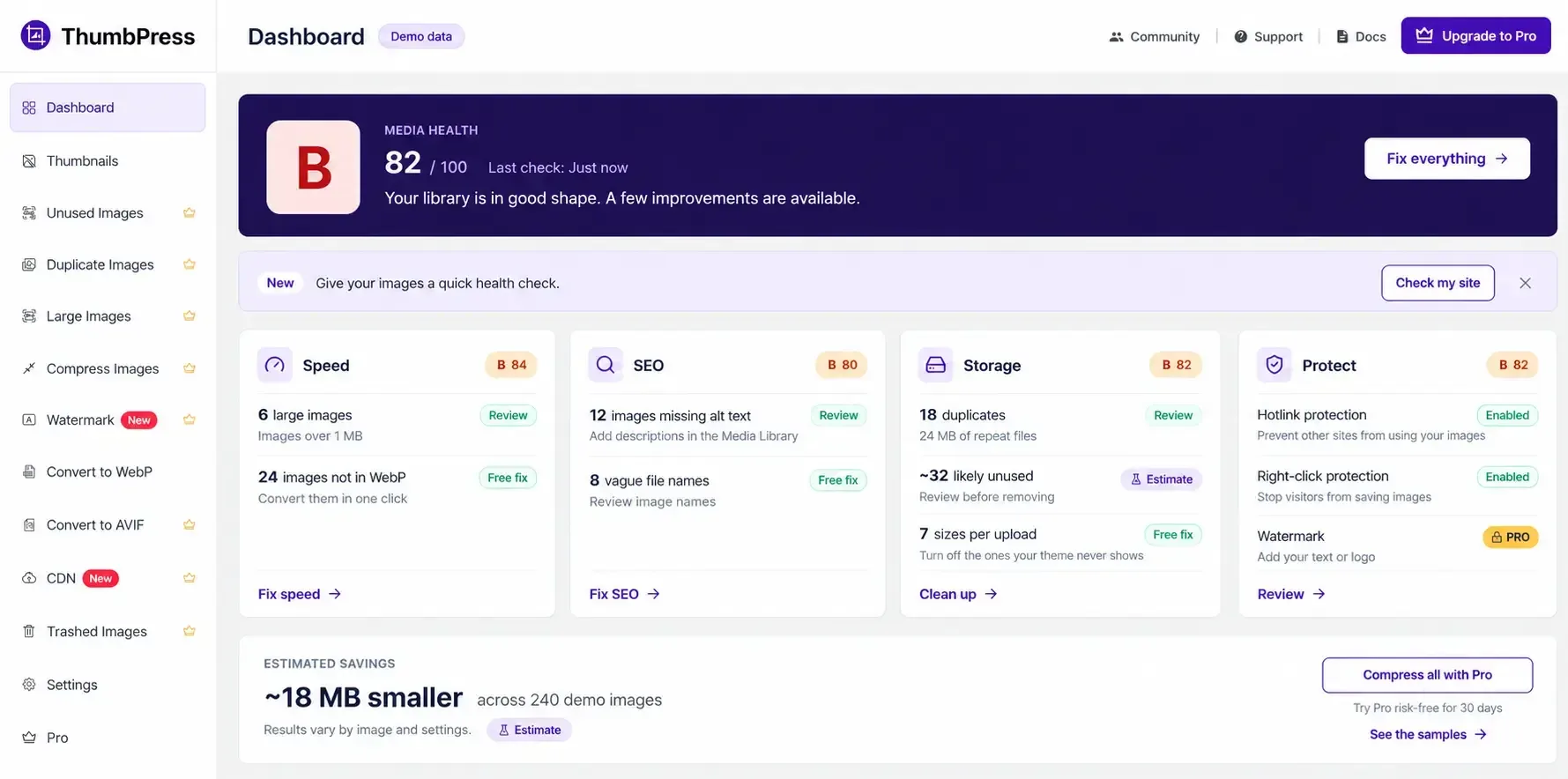
Alongside watermarking, ThumbPress 6.9 brings a new way to review your media library.
The redesigned dashboard starts with a letter grade, followed by scores across four areas: Speed, SEO, Storage, and Protect.
These scores give you a starting point for deciding what to investigate. You can look at the overall picture first, then move into the reports and tools relevant to your next task.
If storage is your immediate concern, for example, you can review the space occupied by duplicates. If image information needs attention, you can investigate missing alt text and vague file names.
The dashboard also includes a recent-activity list and quick actions, bringing recent work and useful controls into the same overview.
Whether you manage a small blog or a growing product catalog, you have a clearer place to begin.
Enable Helpful Free Settings in One Click
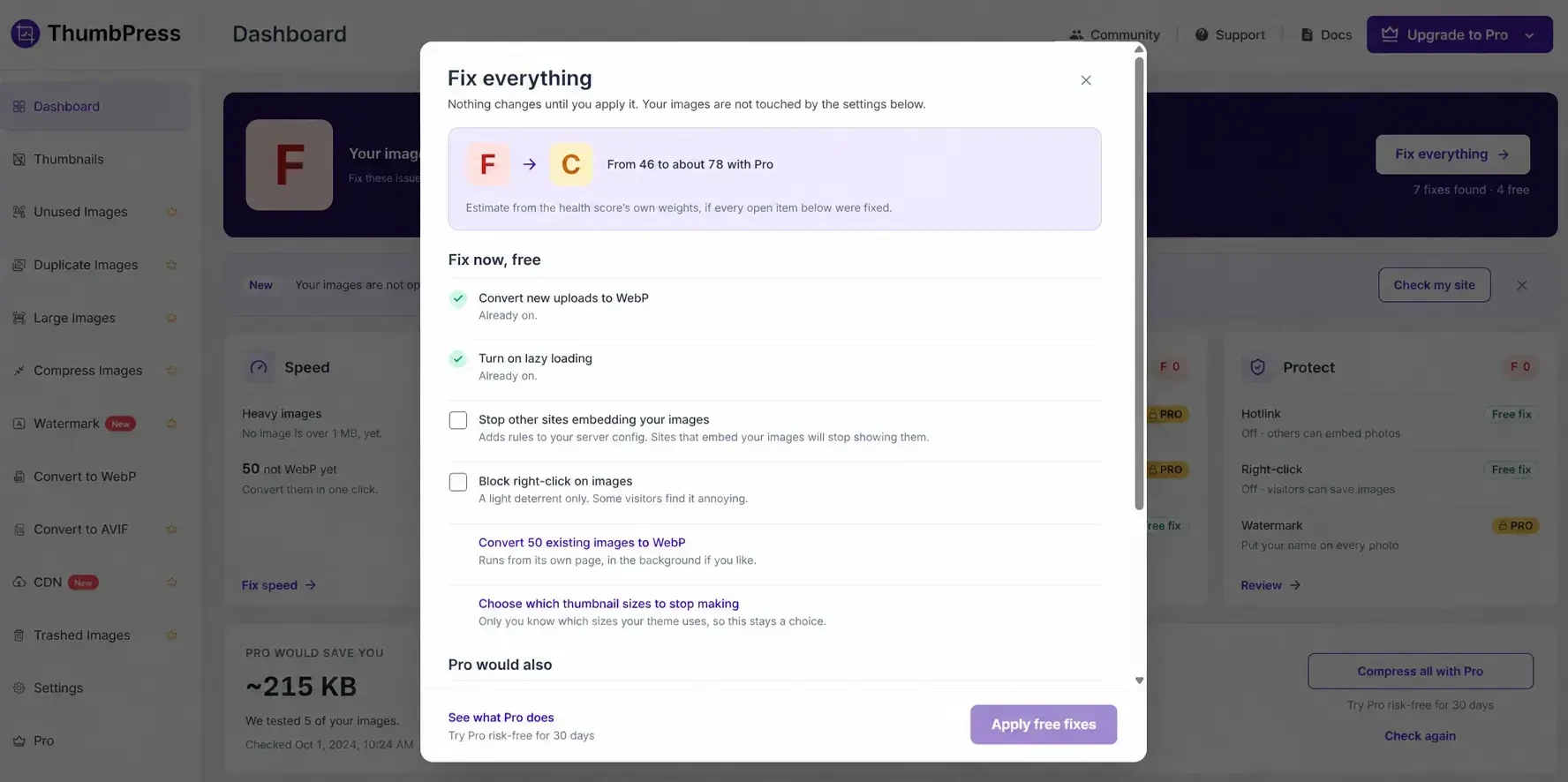
Once you have reviewed your library, getting the relevant settings in place should be straightforward.
The new “Fix everything” button switches on the free settings designed to help your site. You can enable them together instead of finding and activating each setting individually.
This is useful when you first set up ThumbPress or return to review a configuration you have not checked recently.
The button handles settings. Tasks such as reviewing image descriptions or deciding which files to remove still need your attention. It gives you a quick first step before you work through those individual issues.
Find Overlooked Issues With Detailed Image Reports
A media library can look organized while still containing incomplete image information and repeated uploads. The new dashboard reports help bring those issues into view.
Missing Alt Text and Vague File Names
Image details are easy to skip when you are busy publishing a post or adding products.
ThumbPress now reports images with no alt text, helping you find files to review. You can then consider each image’s purpose and decide what description is appropriate.
The dashboard also reports images with vague file names. Names such as IMG_4827.jpg provide little context when you return to your uploads later.
For a manageable first task, begin with images on your most important pages, then work through the rest of the library.
Duplicate Storage and Potentially Unused Images
Repeated uploads become easier to assess when you can see the space they occupy.
ThumbPress 6.9 reports how much storage your duplicates take up, helping you understand the scale of the issue before starting a cleanup.
It also provides an estimated count of images that appear unused. This can help you identify files worth investigating after updating pages or replacing older content.
The unused-image figure is an estimate because page builders can hide image references. Use it to guide your review and confirm whether a file is still needed before removing it.
Run a Guided Site Image Checkup
Not sure where to begin with your library?
The new Site Image Checkup gives new users a short guided assessment. It scans the library, grades it, shows before-and-after previews using their own photos, and offers free fixes in one click.
Using your own images makes the previews more relevant. You can review the examples in the context of the photos you actually publish, then move directly to the available free fixes.
The checkup is not limited to your first visit. You can run it again at any time from Settings → General, including after uploading a new batch of images or revisiting your setup.
Explore ThumbPress 6.9 on Your Site
Start by previewing a watermark on your images or opening the redesigned dashboard to review your library’s grade. From there, choose one report to investigate or run Site Image Checkup for a guided start.
You do not need to work through your entire library at once. With clearer reports, accessible settings, and new watermark controls, this release gives you more ways to manage the images you publish.
Update to ThumbPress 6.9 and try the new features on your site.