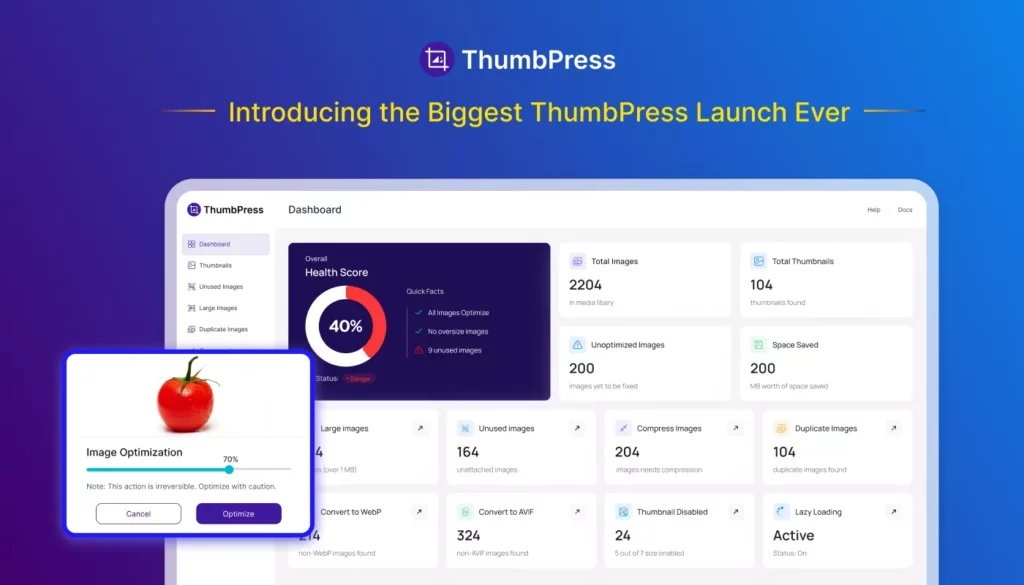
Managing images in WordPress has changed a lot over the years. Modern websites now deal with larger uploads, multiple image formats, performance optimization, duplicate media files, and growing storage usage all at once.
ThumbPress version 6 was built to handle those challenges more efficiently.
This release introduces a completely redesigned experience with a new React-powered interface, AVIF support, duplicate image detection, smarter media insights, and major performance improvements across the plugin.
More than just a visual update, ThumbPress v6 is a major step forward in how WordPress users manage images, optimize performance, and keep media libraries under control.
What’s New in ThumbPress v6?
A Completely Redesigned User Experience
One of the most noticeable improvements in ThumbPress v6 is the redesigned admin interface.
The previous interface helped thousands of WordPress users manage image optimization more efficiently. As ThumbPress continued to grow with new features and capabilities over time, we saw an opportunity to create a more streamlined and modern experience that makes navigation faster, workflows smoother, and image management more intuitive for every type of user.
With version 6, the entire interface has been rebuilt using a modern React-powered architecture.
The result is a faster and significantly more organized experience.
Users can now move through the plugin more naturally using a persistent sidebar navigation system, centralized settings areas, and cleaner module layouts. Instead of jumping between unrelated pages, everything now feels connected and easier to understand.
This redesign was not only about aesthetics. It was built to improve usability for both beginners and advanced WordPress users.
Whether someone is optimizing a personal blog or managing thousands of product images inside WooCommerce, the workflow now feels smoother and more efficient.
A New Dashboard Focused on Website Health
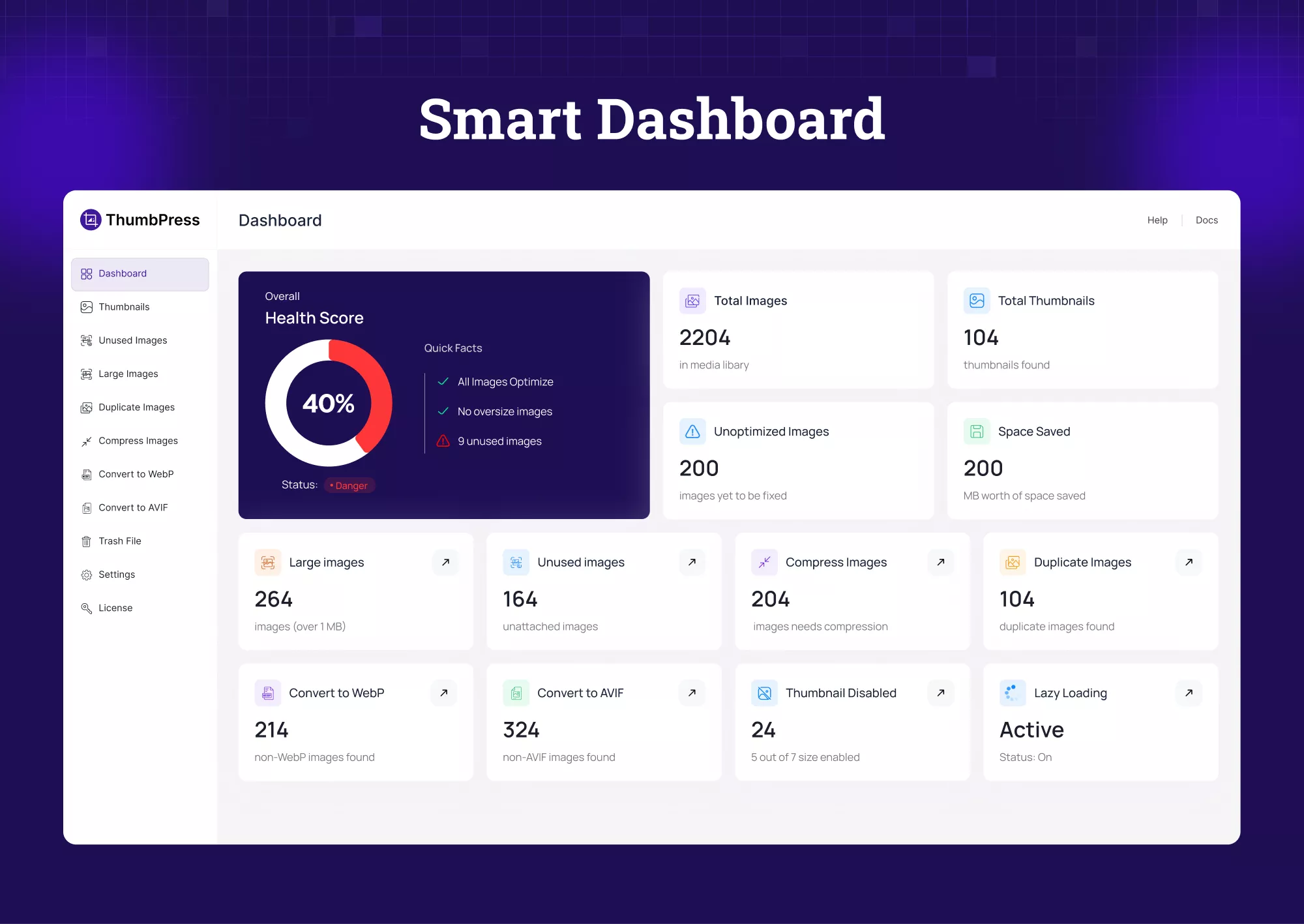
Another major addition in ThumbPress latest version is the completely redesigned dashboard.
Rather than presenting users with technical settings immediately, the new dashboard focuses on visibility and insights.
Website owners can now quickly understand the overall condition of their media library through a centralized overview panel that displays important image-related metrics.
This includes information such as:
- Overall image health score
- Total uploaded images
- Total generated thumbnails
- Number of unoptimized images
- Estimated storage savings
- Optimization progress
- Overall image health score
The image health scoring system helps users identify performance issues that often remain hidden inside large WordPress installations.
For example, many websites slowly accumulate oversized uploads, duplicate files, and unnecessary thumbnails over several years without realizing the impact those files have on performance and hosting costs.
The new dashboard makes these problems easier to identify before they become larger operational issues.
AVIF Support Arrives in ThumbPress
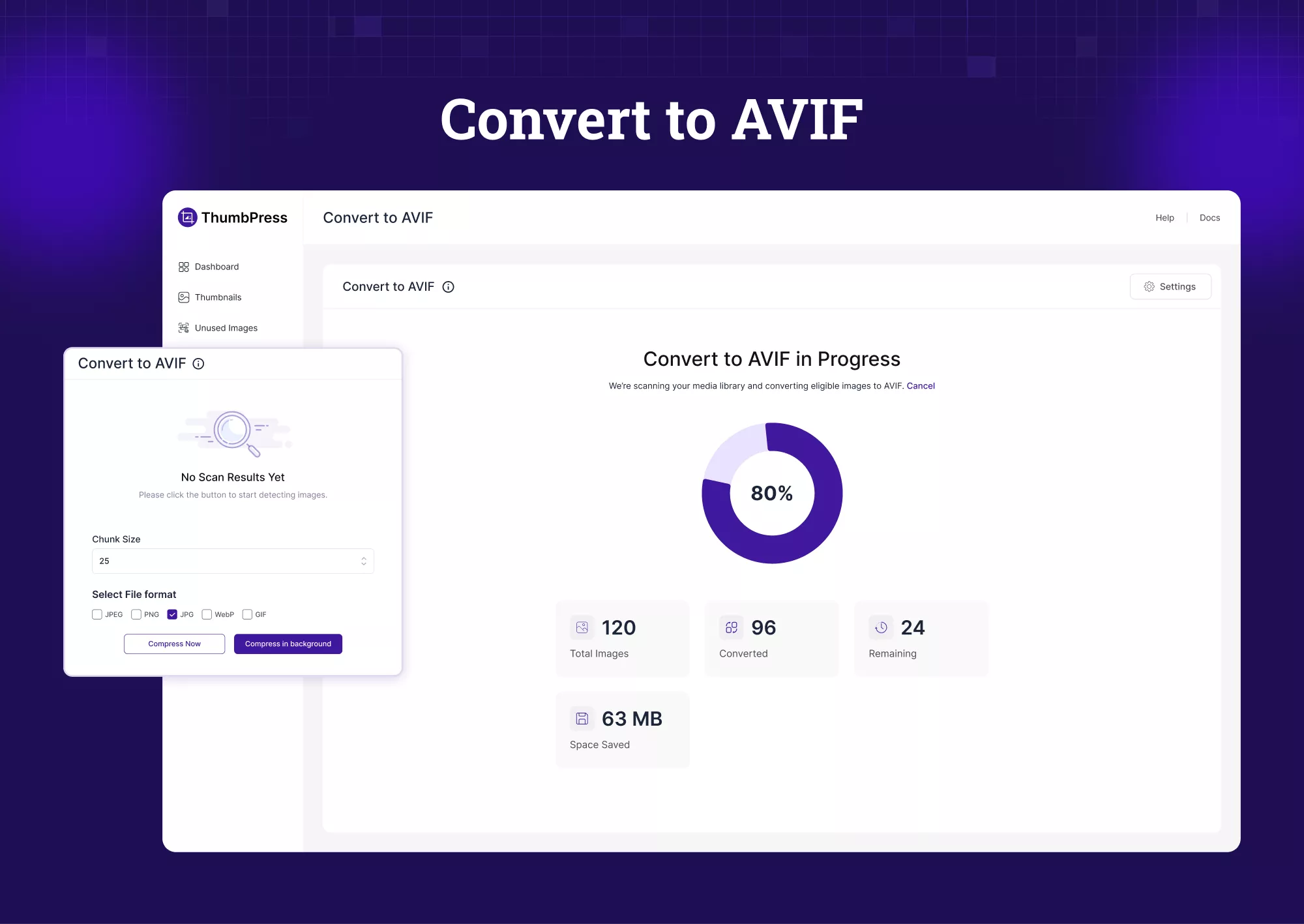
Modern image formats continue to play an important role in web performance optimization.
Over the last few years, WebP has become widely adopted because it significantly reduces image file sizes while maintaining good visual quality. However, AVIF is now pushing optimization even further.
ThumbPress v6 introduces native AVIF support, allowing users to generate AVIF versions of their images directly within WordPress.
AVIF offers several advantages compared to traditional formats like JPEG and PNG, including improved compression efficiency and smaller file sizes at comparable image quality levels.
For websites focused on speed and Core Web Vitals, this can create meaningful performance improvements, especially on image-heavy pages.
With ThumbPress v6, users can:
- Convert uploaded images to AVIF
- Enable automatic AVIF generation on upload
- Convert individual media files manually
- Perform bulk AVIF conversions
As browser support for AVIF continues to improve, this addition helps WordPress users stay prepared for the next generation of image optimization standards.
Duplicate Image Detection for Cleaner Media Libraries
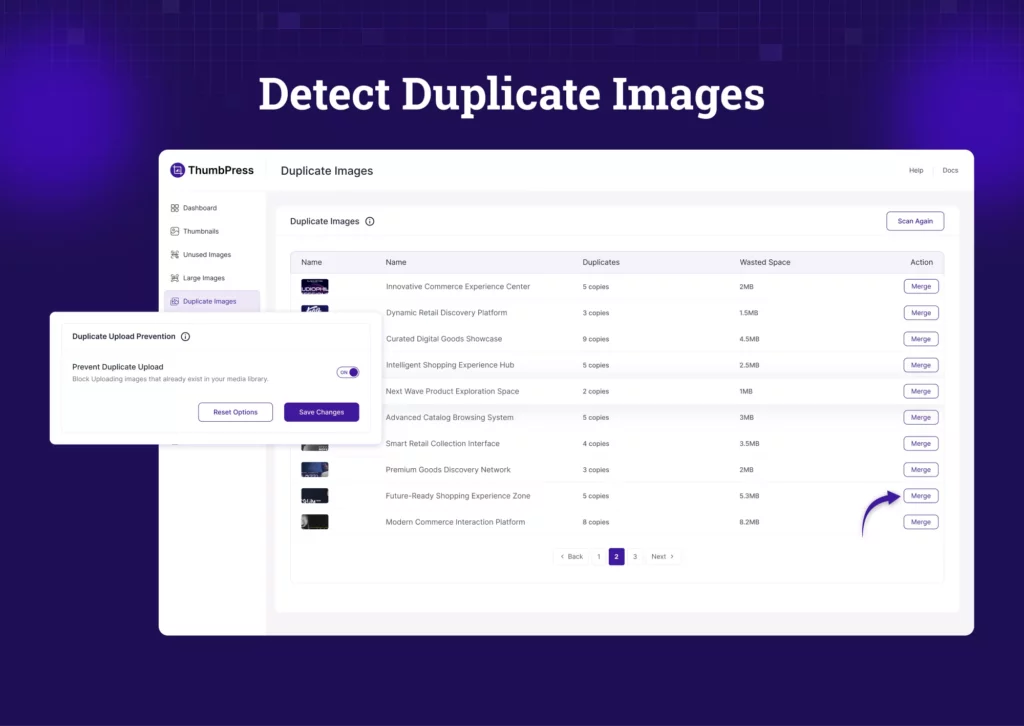
Duplicate images are one of the most overlooked problems inside WordPress media libraries.
The same image often gets uploaded multiple times by different team members. Edited versions remain stored indefinitely. Temporary uploads accumulate over time. Eventually, websites waste significant amounts of storage space without users noticing.
This issue becomes especially common on WooCommerce stores, agency-managed websites, and large publishing platforms.
ThumbPress v6 introduces Duplicate Image Detection to help solve this problem more effectively.
Using file-hash fingerprinting, ThumbPress can identify duplicate media files and help users clean their libraries safely without manually reviewing thousands of uploads.
For websites managing large volumes of media assets, this feature can help reduce unnecessary storage usage while improving organization inside the media library.
Performance Improvements Across the Plugin
Beyond new features, ThumbPress v6 also focuses heavily on backend improvements and overall plugin stability.
Several internal systems were optimized to improve processing speed, background task reliability, and media handling workflows.
This includes improvements to:
- Media query performance
- Background optimization processes
- Image conversion workflows
- Thumbnail regeneration stability
- Settings management responsiveness
Multiple issues reported in earlier versions were also addressed, helping create a more reliable day-to-day experience for WordPress users.
While these improvements may not always be immediately visible in the interface, they play an important role in making the plugin feel faster and more stable overall.
A Unified Approach to WordPress Image Optimization
One of the biggest goals behind ThumbPress v6 was reducing plugin fragmentation.
Many WordPress users currently manage images using several separate plugins that each solve only one part of the workflow.
- Compression plugins handle optimization.
- WebP plugins handle format conversion.
- Separate tools manage thumbnails.
- Additional plugins handle lazy loading or media cleanup.
This fragmented setup often creates overlapping functionality, compatibility issues, and unnecessary complexity.
ThumbPress takes a different approach by combining essential image management tools into a single platform.
With ThumbPress v6, users can manage:
- Thumbnail generation
- Image compression
- WebP conversion
- AVIF conversion
- Duplicate image detection
- Thumbnail regeneration
- Lazy loading
- Upload limits
- Image replacement
- Hotlink protection
- Social share thumbnails
from one centralized environment inside WordPress. For many websites, this means fewer plugins, cleaner workflows, and easier maintenance over time.
Designed for Modern WordPress Websites
Website performance expectations continue to rise.
Users expect faster loading pages. Search engines prioritize performance metrics more heavily. Mobile browsing continues to dominate overall traffic.
At the center of many performance issues are poorly optimized images.
ThumbPress v6 was designed around this modern reality.
Instead of treating image optimization as a collection of isolated tasks, the plugin focuses on providing a more complete media management system that helps WordPress users improve performance while simplifying workflows.
Whether managing a small business website, a large WooCommerce store, an agency portfolio, or a content-heavy publishing platform, ThumbPress v6 is built to support modern image optimization needs at scale.
Final Thoughts
ThumbPress version 6 represents the biggest update ever.
This release introduces a redesigned interface, smarter media insights, AVIF support, duplicate image detection, workflow improvements, and a more unified approach to WordPress image management.
More importantly, it reflects a larger shift in how WordPress websites should handle media optimization moving forward.
Image management should not require multiple disconnected plugins or complicated workflows.
It should be simple, organized, and built directly around real-world website performance needs.
That is exactly what the ThumbPress latest version aims to deliver.