Images are one of the biggest reasons WordPress sites slow down.
Not because images are bad. But because most site owners are still using the wrong formats that made sense ten years ago, they are quietly dragging down their page speed and SEO rankings today.
If you’ve been uploading JPEGs to your WordPress media library without thinking twice, this article is for you.
In 2026, three image formats dominate the conversation: JPEG, WebP, and AVIF. Each one has its strengths. Each one has real trade-offs. And picking the right one or the right combination can make a meaningful difference in how fast your site loads, how well it ranks, and how your images look to visitors.
Let’s break it all down in plain language.
AVIF vs WebP vs JPEG | A Quick Introduction
Before we compare them, you need to understand what each format actually is and where it came from. Let’s start with JPEG-
JPEG – Joint Photographic Experts Group
JPEG/JPG(shortened to fit the three-letter extension limit of older Windows systems) has been around since 1992. That’s over 30 years.
It was designed at a time when internet connections were slow, and storage was expensive. The goal was simple: compress photos down to a manageable size without making them look terrible. For its time, it worked brilliantly.
Today, JPEG is still the most widely used image format on the web. Almost every camera, smartphone, and image editing tool produces JPEGs by default. Every browser supports it. Every device can read it.
The problem? The compression technology is old. When you push a JPEG too hard, shrink it too much to save space, it starts to look blocky and blurry. You’ve seen this before. That patchy, artifact-filled photo on someone’s website? That’s JPEG struggling under pressure.
WebP – Web Picture Format
WebP came from Google in 2010. The goal was to build a better JPEG, one that could compress images more efficiently while maintaining high quality.
It delivered on that promise. A WebP image is typically 30–35% smaller than the equivalent JPEG at the same visual quality. It also supports transparency (which JPEG doesn’t) and even animation.
For a long time, the only knock against WebP was browser support. Older browsers didn’t handle it well. But by 2026, that’s a non-issue. Every major browser, Chrome, Firefox, Safari, Edge, and Opera, fully supports WebP. It’s been battle-tested for years and is widely considered the safe, smart default for modern websites.
AVIF – AV1 Image File Format
AVIF is the newcomer. It was built from AV1, a video codec technology developed by a coalition of major tech companies, including Google, Apple, Mozilla, and Netflix.
The results are impressive. AVIF consistently produces smaller file sizes than both JPEG and WebP, often 45–55% smaller than JPEG at comparable quality. Images look better at small sizes, especially when it comes to gradients, fine textures, and skin tones.
A few years ago, browser support was the big concern with AVIF. Not anymore. As of 2026, Chrome, Firefox, Safari (since version 16), Edge, and Opera all support AVIF fully. WordPress itself added native AVIF support in version 6.5, released in 2024.
AVIF vs WebP vs JPEG | The Real-World Comparison
Now let’s get into the actual differences that matter for your WordPress site.
1. File Size – Who Saves the Most Space?
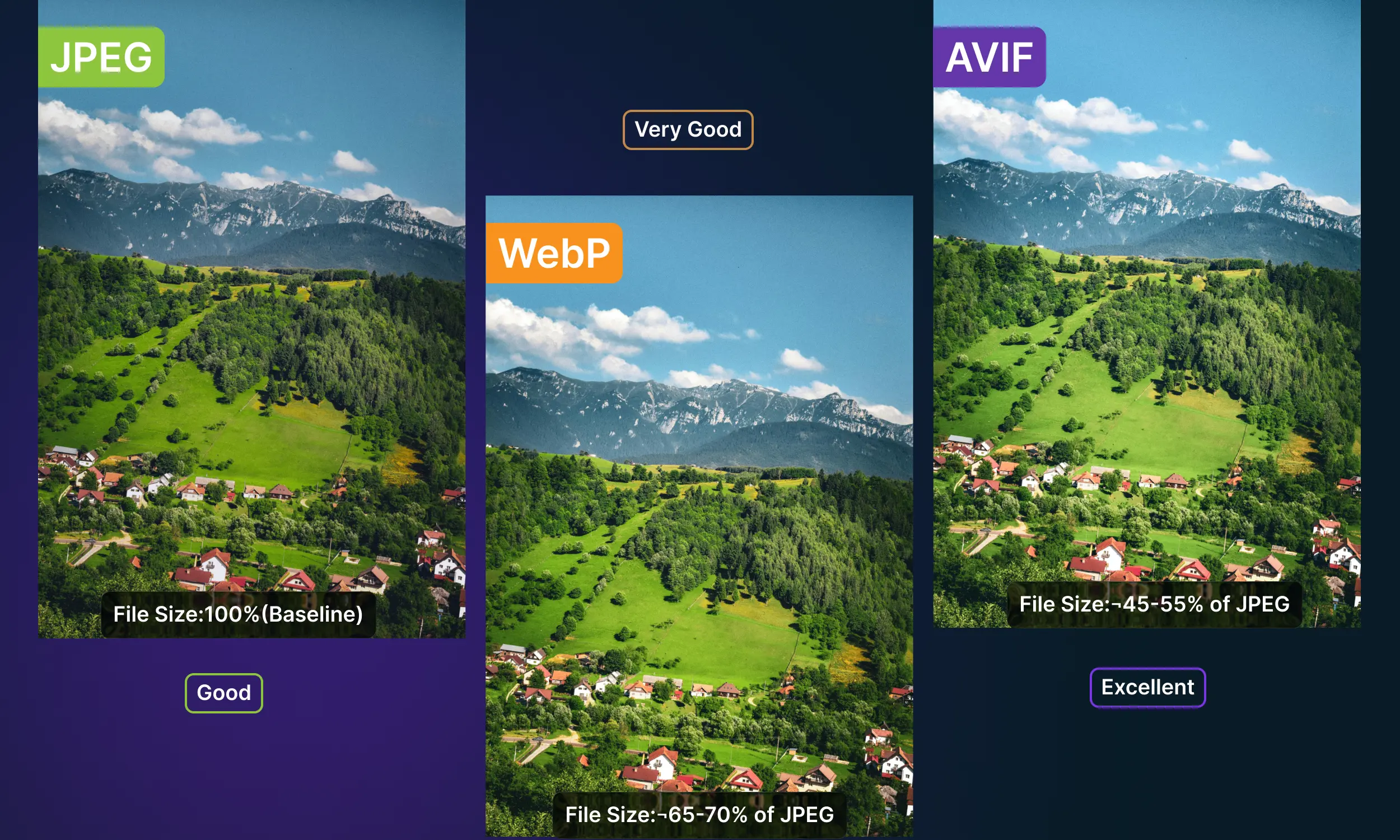
File size is where the gap between these formats becomes most visible.
Here’s a rough comparison using a typical high-quality photo:
| Format | File Size (relative) | Quality |
| JPEG | 100% (baseline) | Good |
| WebP | ~65–70% of JPEG | Very Good |
| AVIF | ~45–55% of JPEG | Excellent |
Put that in practical terms. If your JPEG hero image is 200KB, the same image in WebP comes in around 130KB. In AVIF, it might be as small as 90–100KB.
That gap might not sound dramatic for a single image. But think about a typical WordPress page, a product page, a blog post, a homepage with 10 to 15 images on it. The cumulative difference in page weight is significant. Faster pages mean better user experience, better Core Web Vitals scores, and better rankings.
Winner: AVIF
2. Image Quality – Which Format Looks Better?
Under normal viewing conditions, most people can’t tell the difference between a JPEG, a WebP, and an AVIF. All three can produce images that look excellent at high-quality settings.
The difference shows up when you compress them aggressively.
JPEG starts breaking down visibly at high compression. You get those tell-tale blocky patches, especially around edges and in areas with subtle gradients. Sky backgrounds, smooth fabric textures, and human faces are the areas where JPEG compression looks the worst.
WebP handles compression much more gracefully. At the same file size as a heavily compressed JPEG, WebP produces a noticeably cleaner, sharper image. Less noise, fewer artifacts.
AVIF pushes further. It handles fine detail, gradients, and color depth at tiny file sizes better than either of the others. For a photography portfolio, a food blog, a fashion ecommerce store, or any site where image quality is part of the experience, AVIF is noticeably better.
Winner: AVIF
3. Browser Support – What Works Across Devices Today?
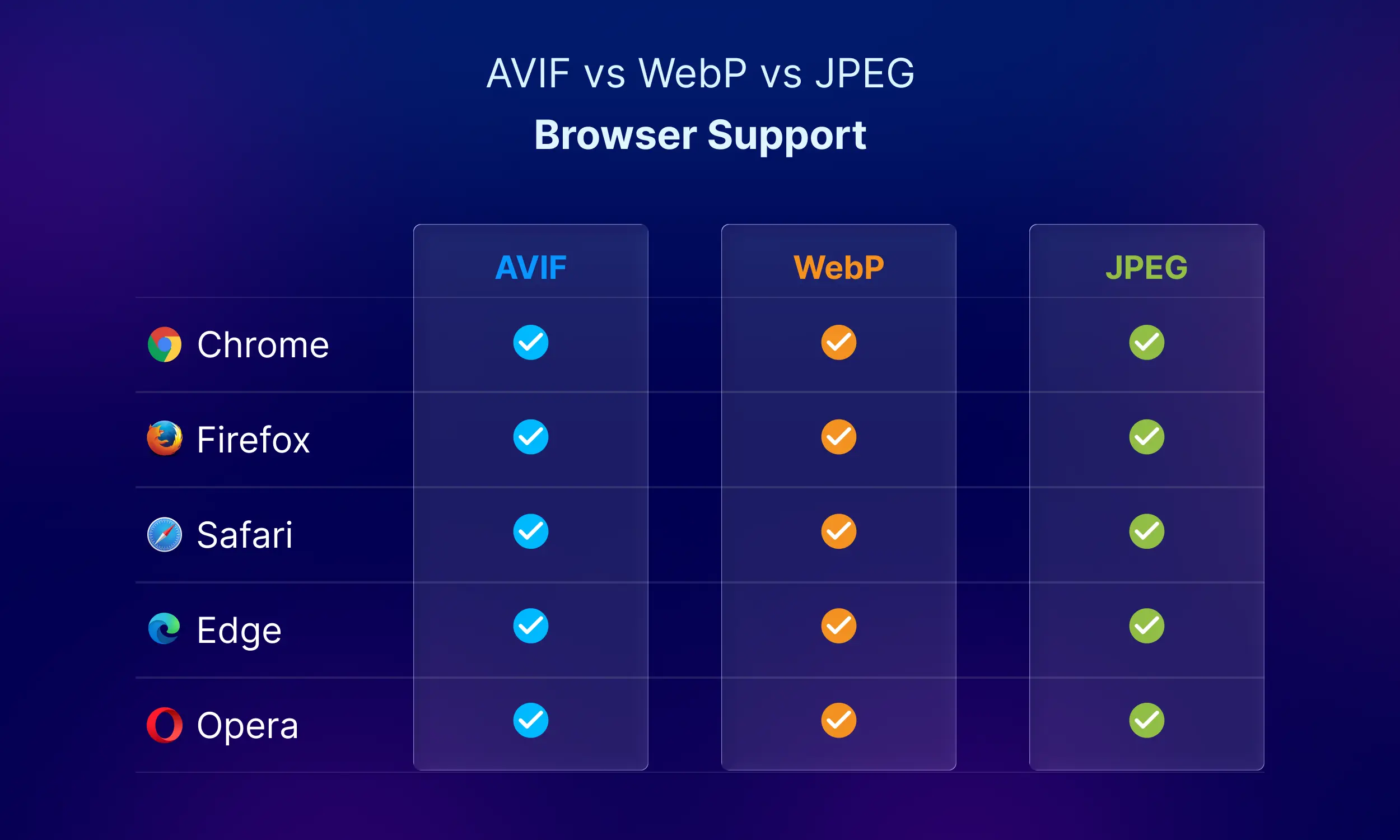
Browser support used to be a real concern, especially for newer formats. In 2026, that problem will be mostly solved.
All three formats are usable today, but they differ in how universally they work:
- JPEG – Works everywhere. Every browser, every device, even very old systems.
- WebP – Fully supported by all modern browsers, including Chrome, Firefox, Safari, Edge, and Opera.
- AVIF – Also widely supported across modern browsers, with full support in Chrome, Firefox, Edge, Opera, and Safari (since version 16).
So in practical terms, both WebP and AVIF are safe for the vast majority of your visitors today. JPEG still holds its place for edge cases and older devices.
Here’s what matters more than picking one format: You don’t need to rely on a single format anymore.
Modern WordPress setups can automatically serve the best format based on the visitor’s browser. That means:
- New browsers → get AVIF for best performance
- Slightly older browsers → get WebP
- Very old devices → fall back to JPEG
This layered delivery approach ensures every visitor gets a fast, compatible image without you doing manual work.
This is how most performance-focused WordPress sites handle images today.
Winner: JPEG for raw universality, but AVIF and WebP are now safe for the vast majority of real-world users.
4. WordPress Support – Does WordPress Handle AVIF?
Yes, and this changed significantly with WordPress 6.5
Before that update, WordPress could handle WebP natively, but AVIF required workarounds. Now, WordPress 6.5+ can generate and serve AVIF images directly from your media library.
There are a few server-side requirements worth knowing about:
Your server needs the right libraries to encode AVIF images. The two common ones are libavif and ImageMagick with AVIF support. Not every shared hosting provider has these set up yet, though it’s becoming more common.
If you’re on a managed WordPress host, WP Engine, Kinsta, Cloudways, or similar, there’s a good chance AVIF encoding is already available to you. It’s worth checking.
For everyone else, a good image optimization plugin handles this for you, converting images to AVIF (or WebP as a fallback) regardless of what your server supports natively.
Winner: WebP remains the most universally compatible option for WordPress but AVIF support is growing fast and is already available on many modern hosting environments.
5. Encoding Speed – Does It Slow Things Down?
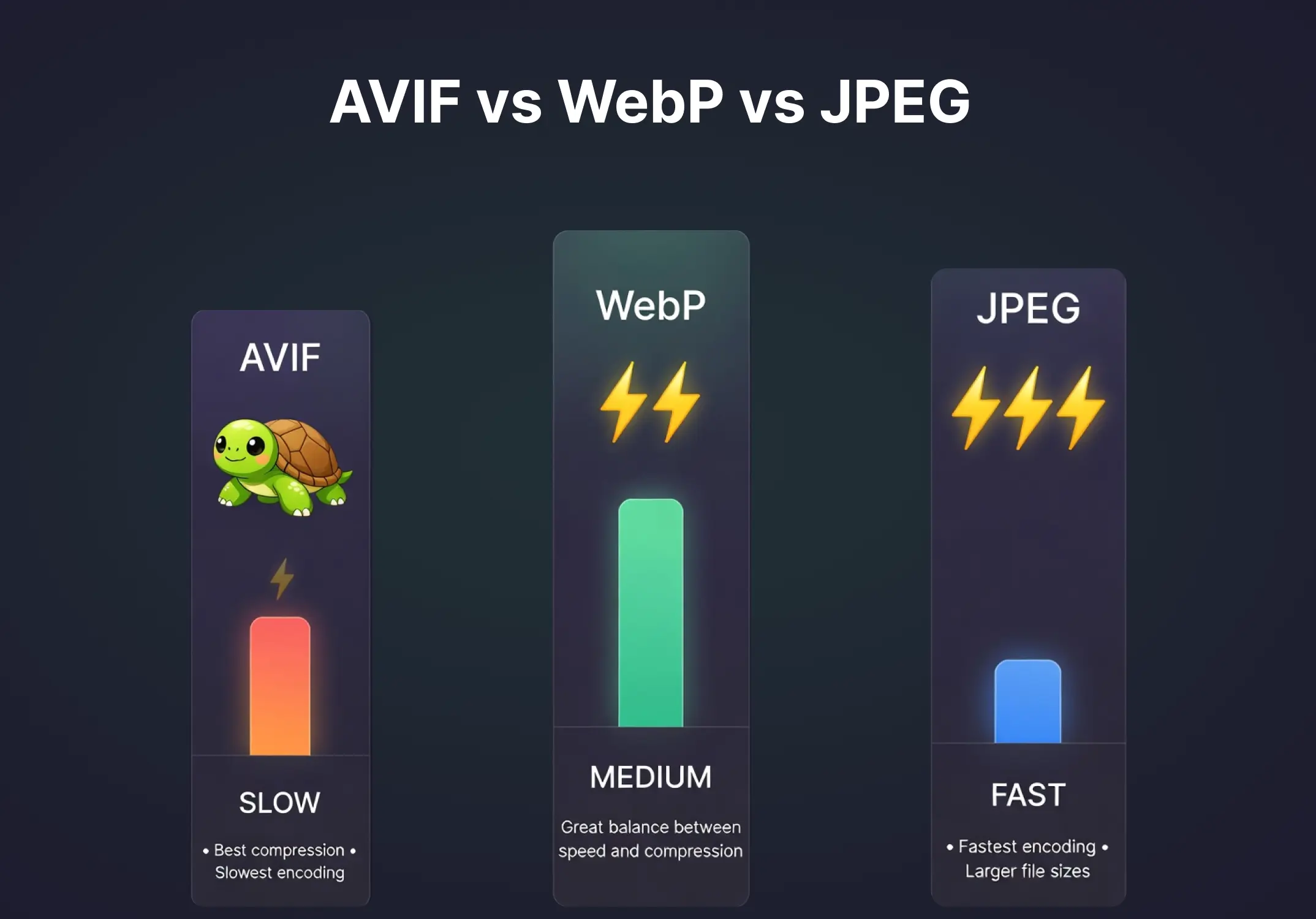
This is one area where AVIF has a real, practical downside.
AVIF images take significantly longer to encode, meaning the time your server spends compressing an image into the format. Compared to JPEG, AVIF encoding can be several times slower. WebP is much faster, sitting comfortably between JPEG and AVIF.
For most site owners, uploading a few images at a time, this isn’t a big deal. The encoding happens in the background, and the resulting images are worth the wait.
But if you run a large ecommerce store uploading hundreds of product images per day, this matters. Batch converting a large existing image library to AVIF can be slow and resource-intensive in a shared hosting environment.
In that scenario, using WebP for routine uploads and reserving AVIF for high-traffic landing pages is a smart, practical approach.
Winner: JPEG > WebP > AVIF for encoding speed
6. Transparency and Animation
This comes up more than people expect.
If you use logo files, icon overlays, or images with transparent backgrounds on your WordPress site, you’re probably using PNG files right now. PNG handles transparency perfectly, but produces large files.
Here’s the breakdown:
- JPEG No transparency, no animation support
- WebP Full transparency support, animation support
- AVIF Full transparency support, animation support (though animated AVIF isn’t widely used yet)
Both WebP and AVIF can replace PNG for transparent images with much better compression. A transparent PNG logo that’s 80KB could become a 20–30KB WebP and look identical. That’s a meaningful improvement, especially for images that appear on every page.
Winner: WebP and AVIF (tie)
7. SEO – Which Format Helps You Rank Better?
This is where image format choice connects directly to your business outcomes.
Google’s Core Web Vitals are a direct ranking factor. The three key metrics, LCP (Largest Contentful Paint), FID (First Input Delay), and CLS (Cumulative Layout Shift), are all influenced by how quickly your images load.
LCP, in particular, measures how fast the largest visible element on your page loads. For most pages, that element is an image. If your hero image is a heavy JPEG, your LCP score suffers. A slow LCP tells Google your page feels slow to users, and that affects your rankings.
Switching from JPEG to AVIF can reduce your image payload by 40–50%. That directly translates to a faster LCP, a better PageSpeed score, and a stronger signal to Google that your site is worth sending traffic to.
Google’s own tools make this explicit. PageSpeed Insights and Lighthouse will flag your site if you’re still serving JPEG images when more efficient formats like WebP or AVIF are available. They label these “next-gen formats” and actively recommend switching.
It’s one of the few performance wins that’s both straightforward to implement and consistently rewarded by Google.
Winner: AVIF
Summary: Head-to-Head at a Glance
| Feature | JPEG | WebP | AVIF |
| File Size | Largest | Medium | Smallest |
| Image Quality | Good | Very Good | Excellent |
| Browser Support | Universal | Universal | Very Wide (2026) |
| WordPress Support | Full | Full | Full (WP 6.5+) |
| Encoding Speed | Fast | Fast | Slow |
| Transparency | ✗ | ✓ | ✓ |
| Animation | ✗ | ✓ | ✓ |
| SEO Benefit | Low | High | Highest |
So Which Format Should You Actually Use?
There’s no one-size-fits-all answer, but there is a clear best practice for most WordPress sites in 2026.
- Use AVIF as your primary format if your hosting environment supports it. It gives you the best image quality at the smallest file sizes. Your page load times will improve, your PageSpeed score will go up, and your Core Web Vitals will look better to Google.
- Use WebP as your fallback. For browsers or server environments that don’t support AVIF yet, WebP is your safety net. It’s widely supported, reliable, and still a major improvement over JPEG. Most serious WordPress setups should be serving WebP at a minimum.
- Keep JPEG only as a last resort. There are edge cases, very old devices, and specific integrations where JPEG is necessary. But it shouldn’t be your default in 2026.
The most effective strategy is to set up your site to serve the best available format automatically based on the visitor’s browser. AVIF first. WebP as fallback. JPEG only if nothing else is supported. A good WordPress image plugin or CDN handles this automatically without any extra work on your end.
What About PNG? A Quick Note
Talking about image formats all day but not mentioning PNG wouldn’t be fair enough.
PNG is lossless; it preserves every pixel of data without compression artifacts. It’s the go-to format for screenshots, graphics with text, and images that need pixel-perfect clarity.
But for photographs and most web images, PNG files are enormous compared to JPEG, and far larger than WebP or AVIF. If you’re using PNG for photos, that’s the first thing to change.
For transparent images (logos, icons, overlays), WebP or AVIF will almost always give you the same visual result at a fraction of the file size. If you haven’t made that switch yet, it’s a quick win.
How to Implement This on Your WordPress Site
Knowing which formats to use is the easy part. Actually getting your WordPress site to serve them properly is where most people get stuck.
Here’s the practical path forward.
Step 1: Audit Your Current Images
Before converting anything, get a clear picture of what you’re working with. How many images are in your media library? What formats are they in? How large are the biggest ones?
Tools like Google’s PageSpeed Insights or GTmetrix will show you exactly which images are slowing your site down and flag the ones that need attention most urgently.
Step 2: Choose Your Image Optimization Approach
You have two main options:
- Use a WordPress plugin that handles conversion and delivery for you. This is the most practical option for the vast majority of site owners. A plugin like ThumbPress lets you convert images to WebP or AVIF in bulk, directly from your WordPress dashboard. You don’t need to touch server settings or write any code.
- Use a CDN like Cloudflare, which can automatically detect each visitor’s browser and serve the best-supported image format on the fly. This works extremely well for large sites with high traffic and existing image libraries that would take a long time to convert manually.
Step 3: Set Up a Format Fallback Chain
This is the part most guides skip.
Don’t just convert everything to AVIF and call it done. Set up a delivery chain: AVIF → WebP → JPEG. Your optimization plugin or CDN should handle this automatically, but verify it’s working. Use a browser developer tool to check which format is actually being served on your pages.
Step 4: Convert Your Existing Library
New uploads are easy; you can set ThumbPress to automatically convert on upload. The bigger job is your existing media library, especially if your site has been running for years.
ThumbPress lets you do this in bulk. You can convert all your existing JPEGs and PNGs to WebP or AVIF in one go without changing your original files or breaking any existing image links on your site.
Step 5: Test Before and After
Run a PageSpeed Insights test before you start and again after you’ve converted your images. The difference in LCP score and overall performance is usually visible and sometimes dramatic.
A Note on AVIF Encoding Time in Practice
Because AVIF encoding is slower, some hosting environments struggle with on-the-fly conversion for large images or bulk operations.
If you’re on shared hosting and trying to batch convert thousands of images, do it in stages. Convert your most important pages first: homepage, top landing pages, high-traffic blog posts. Then work through the rest of your library over time.
Alternatively, use a plugin that offloads the conversion work to an external server, so your own hosting resources aren’t strained during the process.
The Bottom Line
In 2026, there’s no good reason to keep JPEG as your default image format on WordPress.
AVIF is the most technically impressive option, with the smallest files, best quality, and strongest SEO impact. WebP is the safest and most universally supported option, and a massive improvement over JPEG. JPEG belongs in your fallback chain, not at the top of it.
The ideal setup for any modern WordPress site:
- Serve AVIF to browsers that support it
- Fall back to WebP for those that don’t
- Serve JPEG only as a last resort
Get that setup right, and your site will load faster, score better on Google’s performance tools, and deliver a sharper visual experience to every visitor regardless of their browser or device.
Frequently Asked Questions (FAQs)
1. Should I stop using JPEG completely in 2026?
No. JPEG still works everywhere and is useful as a fallback. But it shouldn’t be your default for new uploads.
2. Is AVIF better than WebP for WordPress?
AVIF gives smaller file sizes and better quality. WebP is more reliable across all hosting setups. Using both together is the best approach.
3. Do I need a plugin to use AVIF or WebP in WordPress?
Not always. WordPress supports both formats now. But a plugin makes conversion, bulk optimization, and fallback handling much easier.
4. Will using AVIF or WebP improve my SEO?
Yes. Smaller images load faster, which improves Core Web Vitals and can help your rankings.
5. What is the best image format setup for a WordPress site?
Use AVIF as the primary format, WebP as a fallback, and keep JPEG only for older devices. This gives the best balance of speed and compatibility.