Every WordPress site has image problems. The specific problem, though, varies a lot from site to site.
Some sites need better compression. Others are sitting on thousands of unused thumbnails, duplicate uploads, and oversized files that nobody ever cleaned up. Picking the right plugin depends on knowing which problem you actually have.
This comparison of ShortPixel vs ThumbPress covers features, compression quality, AVIF support, pricing, and which plugin makes more sense for different types of WordPress sites.
What Is ThumbPress?
ThumbPress is a WordPress image management plugin built by Codexpert, the team behind EasyCommerce, CoDesigner, and WC Affiliate. Compression is one feature inside a wider toolkit.
That toolkit covers thumbnail control, duplicate image detection, unused image cleanup, large image identification, upload size limits, lazy loading, hotlink protection, right-click protection, built-in image editor, and CDN. All from one dashboard, no separate plugin needed for each job.
When you upload an image to WordPress, the platform auto-generates at least five thumbnail sizes. Themes and plugins add more on top. Most are never used anywhere on the site. ThumbPress lets you disable the sizes you don’t need, regenerate the ones you do, and clean up the years of accumulated files sitting quietly in the background.
Processing happens server-side. Your images never leave your server.
Best for: Sites with growing or established media libraries that need image optimization and media management in one place.
What Is ShortPixel?
ShortPixel is a cloud-based image optimization plugin with over 300,000 active installs on WordPress.org. It’s built around one job: making images smaller without compromising their quality.
It offers three compression modes: lossy, lossless, and lossless. This gives you real control over the quality versus file size tradeoff. Images go to ShortPixel’s external servers for processing. Your hosting environment isn’t taxed during bulk optimization runs. It also supports WebP and AVIF conversion, backs up your originals automatically, and can optimize custom folders and PDFs outside the standard media library.
The free version gives you 100 credits per month. One credit equals one image, and each thumbnail size counts separately. One upload can burn four or five credits, depending on your theme.
Best for: WordPress sites that primarily need reliable, high-quality compression with minimal setup.
ShortPixel vs. ThumbPress: The Core Difference
ShortPixel is a compression plugin. ThumbPress is an image management plugin that includes compression.
That distinction shapes everything in this comparison.
ShortPixel compresses and converts every image you upload. It does that job well. But if your site has three years of publishing history, you also have orphaned images attached to nothing, duplicate files from re-uploads, thumbnails registered by a theme you removed, and hero images uploaded at 6MB because nobody set a limit. ShortPixel won’t surface any of that. It compresses what’s already there and moves on.
ThumbPress handles the cleanup layer, too. Finding unused images, removing duplicates, flagging oversized files, managing your thumbnail registry, enforcing upload limits- those tools prevent the next three years from looking like the last three.
Neither plugin is trying to be the other. The question is which scope fits your actual problem.
Full Feature Comparison: ShortPixel vs. ThumbPress
Optimization
| Feature | ThumbPress | ShortPixel |
| Image Compression | ✅ | ✅ |
| Smart / Auto Compression | ✅ | ✅ |
| Bulk Optimization | ✅ | ✅ |
| Background / Async Processing | ✅ | ✅ |
| Backup & Restore Originals | ✅ | ✅ |
| Cloud-Based Processing | ❌ | ✅ |
| Lossy / Glossy / Lossless Modes | ✅ | ✅ |
Format Conversion
| Feature | ThumbPress | ShortPixel |
| WebP Conversion | ✅ | ✅ |
| AVIF Conversion | ✅ | ✅ |
| Auto Browser Fallback | ✅ | ✅ |
Media Library Management
| Feature | ThumbPress | ShortPixel |
| Duplicate Image Detection | ✅ | ❌ |
| Detect Unused Images | ✅ | ❌ |
| Detect Large Images | ✅ | ❌ |
| Image Upload Size Limit | ✅ | ❌ |
Thumbnail Control
| Feature | ThumbPress | ShortPixel |
| Disable Unnecessary Thumbnails | ✅ | ❌ |
| Regenerate Thumbnails | ✅ | ❌ |
Additional Features
| Feature | ThumbPress | ShortPixel |
| Image Editor (Dashboard) | ✅ | ❌ |
| Replace Image Without Changing URL | ✅ | ❌ |
| Social Media Thumbnails | ✅ | ❌ |
| Lazy Loading | ✅ | ❌ |
| Right-Click Image Protection | ✅ | ❌ |
| Hotlink Protection | ✅ | ❌ |
| Custom Folder Optimization | ❌ | ✅ |
| PDF Optimization | ❌ | ✅ |
Image Compression: How Each Plugin Handles It

ThumbPress
Image Compression in ThumbPress is a Pro feature. Run it in bulk from the media library, or set it to trigger automatically on upload. Processing happens on your own server with no third-party API involved.
All paid plans include unlimited image optimization. No monthly cap, no credit counter, no overage fees. For high-volume sites that would regularly exhaust a credit quota, the unlimited model matters to the bottom line.
ShortPixel
Compression is ShortPixel’s primary focus, and it’s one of the strongest in the category. Images go to ShortPixel’s servers the moment you upload them, no manual trigger needed once you’ve configured the plugin.
The three compression modes give you real flexibility. Lossy targets the smallest possible file size. Glossy finds a middle ground between quality and compression. Lossless keeps the original quality completely intact. In independent testing, ShortPixel has consistently delivered some of the strongest JPEG results in the category, with documented reductions of up to 83% on real-world images.
One thing to watch: the credit model can confuse new users. One image upload doesn’t use one credit. It uses one credit per thumbnail size generated. A single upload can consume four to six credits, depending on your theme.
Verdict: ShortPixel wins on raw compression quality. It’s one of the top performers in the category, and its cloud-based processing is a real advantage on shared hosting, where large batch jobs can cause server timeouts. ThumbPress wins on cost at scale: unlimited optimization with no quota on any paid plan.
AVIF and WebP: Format Conversion Compared
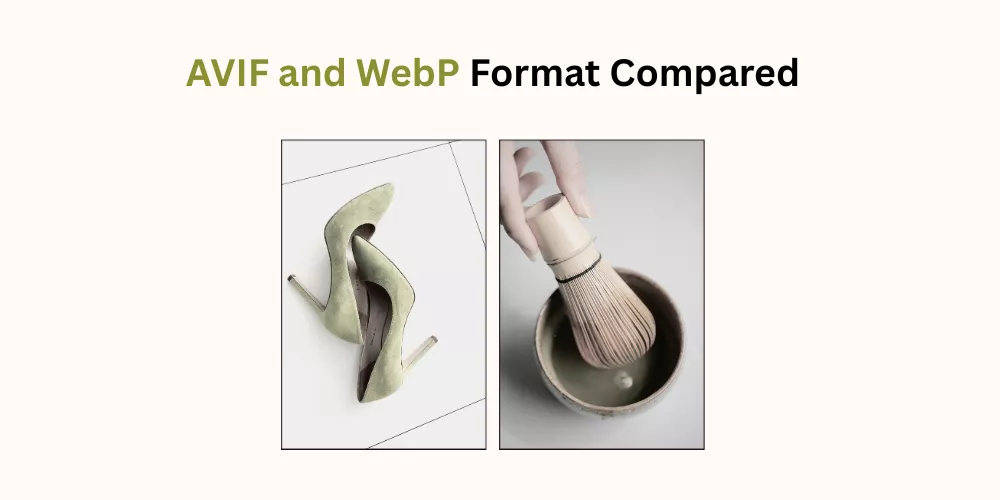
Both plugins support WebP and AVIF conversion with automatic browser fallback. The fallback chain works the same way in both: AVIF for supporting browsers, WebP as the next fallback, original format for older browsers. You don’t have to manage this per-visitor in either plugin.
AVIF delivers 25–50% better compression than WebP at comparable visual quality, and up to 80% smaller files compared to unoptimized JPEG. Chrome, Firefox, Safari, and Edge all support it. The compatibility risk that made AVIF a cautious choice two or three years ago is effectively gone now.
ThumbPress supports bulk AVIF conversion of your existing library in Pro, and single-image AVIF conversion in the free tier. ShortPixel handles AVIF conversion as part of its standard optimization workflow via the cloud API.
Verdict: Tied. Both handle AVIF and WebP conversion with proper fallback logic. The delivery method differs (server-side vs. cloud), but the output capability is the same.
WordPress Media Library Management: Where ThumbPress Pulls Ahead
This is the clearest gap in the comparison. ShortPixel offers no media library management tools. ThumbPress does, and for any site with real publishing history, this is where it earns its place.
Duplicate Image Detection
Multi-author sites and content migrations are common sources of duplicate uploads. Someone updates a product photo, uploads it again without deleting the original, and now both versions live in the library indefinitely. ThumbPress scans for redundant files and lets you remove them in bulk. ShortPixel compresses duplicates alongside everything else and never flags them.
Detect Unused Images
Every WordPress site accumulates orphaned images over time: featured images from deleted posts, draft attachments that never went live, test uploads that got forgotten. ThumbPress surfaces all of them for bulk deletion in one pass. On a site with two or three years of content history, that cleanup regularly recovers several gigabytes of server space.
Large Image Identification
ThumbPress can scan your library for images above a file size threshold you set, then let you compress or delete them in one operation. ShortPixel compresses whatever exists, but it won’t proactively flag the files that are dragging your site down.
Thumbnail Management
WordPress generates at least five thumbnail sizes on every upload. Your theme adds more. Installed plugins add more on top of that. Over time, many of those registered sizes stop being displayed anywhere on the site, but WordPress keeps generating them on every new upload.
One ThumbPress user described it this way: “Over the years, WordPress and our themes and plugins had gathered 21 different types of thumbnails, so the size was increasing at an alarming speed. By disabling all thumbnails, all 6,000 thumbnails are gone for good.”
ThumbPress lets you disable the sizes you don’t need and regenerate thumbnails after a theme switch without losing images. ShortPixel has no thumbnail management at all.
Verdict: ThumbPress wins clearly. Media library management is a feature category ShortPixel simply doesn’t cover.
Which Plugin Fits Your Website Type?

Bloggers and Content Sites
ShortPixel is the faster choice for bloggers with a relatively clean library who publish regularly and want automated compression with almost no configuration. Set it up once, and it handles new uploads in the background.
ThumbPress is the better fit for older content sites, especially if the media library hasn’t been properly cleaned up. The thumbnail management and unused image detection alone can make a noticeable difference in storage and page weight. If you want to understand what issues might already exist, fixing common image problems in WordPress is a good place to start.
WooCommerce Stores
ThumbPress is the stronger fit for growing product catalogs. Every product upload generates thumbnails across multiple registered sizes. Stores accumulate image bloat fast, and tools to detect large images, remove duplicates, and enforce upload limits keep things manageable as the catalog scales. ShortPixel handles the compression side well, but leaves all the organizational work to you.
For stores with older catalogs, deleting unused WooCommerce images is worth building into your regular maintenance routine.
Agencies and Multi-Site Managers
ThumbPress has a dedicated agency plan covering up to 100 websites. The full feature set means you’re not stacking multiple plugins per client site to cover compression, thumbnail control, and media cleanup separately.
ShortPixel’s credit model is worth considering here, too. One API key works across unlimited sites, and one-time credit packs never expire. For low-volume client sites that need occasional bulk optimization without a monthly subscription, that can work out cheaper.
Sites on Shared Hosting
ShortPixel has a real advantage here. Cloud-based processing means bulk optimization runs on ShortPixel’s servers, not yours. No timeout risks, no CPU spikes during large batch jobs. If you’re on a shared plan and need to compress a large existing library, ShortPixel’s offloading model is a practical win.
Ease of Use Compared
ShortPixel is the simpler install. Enter your API key, choose a compression mode, and the plugin takes over. The interface is minimal, the settings are few, and the automation removes almost all ongoing decisions.
ThumbPress requires more deliberate setup, but that’s a product of scope, not complexity. Each module is configured separately, which means more settings to work through upfront. The benefit is control: you decide exactly what runs, when, and against which files.
Think of ShortPixel as the set-and-forget compressor. Think of ThumbPress as the control panel for your full image workflow. If you want to install something and not touch it again, ShortPixel fits that preference. If you want to actively manage your site’s images from one place, ThumbPress gives you the tools to do that.
Pricing: ShortPixel vs ThumbPress
| Plan | ThumbPress | ShortPixel |
| Free | 9+ modules, no monthly quota | 100 credits/month |
| Entry Paid | From $5/month, 1 site, unlimited | $9.99/month unlimited OR one-time from $19.99 |
| Lifetime | From $119, single site | Not available |
| Agency | $599 lifetime, unlimited sites | Credits shared across unlimited sites on one key |
| Optimization Quota | Unlimited on all paid plans | Monthly or credit-based |
A few things worth noting here.
ShortPixel’s 100 free credits run out fast on active sites. One upload generates multiple thumbnail sizes, each consuming a separate credit. A site that publishes a few posts a week will exceed 100 credits within days.
ThumbPress’s free tier doesn’t include compression, but it includes nine other modules with no usage cap. WebP conversion, lazy loading, thumbnail management, upload size limits, hotlink protection, right-click protection, social media thumbnails, all free.
On the paid side: ThumbPress’s lifetime plan starts at $119 once. ShortPixel’s unlimited subscription runs $9.99 per month, roughly $120 per year, every year. Over two or three years, that gap adds up.
ShortPixel’s one-time credit packs are worth mentioning separately. They never expire. For sites that need a one-off bulk optimization without committing to a subscription, a $19.99 credit pack can cover a significant library and last for years.
Imagify vs. ThumbPress: Which WordPress Image Optimization Plugin Is Better in 2026?
Final Thoughts: So, Which One Should You Use?
ShortPixel is a well-built plugin that does exactly what it says. If your site needs strong compression with minimal setup, it earns its reputation. The cloud-based processing is a genuine advantage over shared hosting, and the credit model works well for lower-volume sites or one-off bulk jobs.
ThumbPress covers more ground. Compression is included in Pro, but the free tier alone handles more than most sites need from an image plugin: thumbnail control, WebP conversion, lazy loading, upload limits, and media management tools that ShortPixel doesn’t offer at any price tier.
If you’re only looking to compress images and you’re happy using separate plugins for everything else, ShortPixel is worth trying. If you want one plugin that handles the full image workflow, including the cleanup and maintenance work that compression tools skip, ThumbPress is the better fit. Start with the free version and see how much of your image problem it already solves.
Frequently Asked Questions (FAQs)
Does ThumbPress compress images as well as ShortPixel?
On raw compression numbers, ShortPixel tends to edge ahead. It’s a cloud-based compression specialist with years of algorithm development behind it, and independent tests consistently put it among the top performers in the category. ThumbPress compression is solid for most sites, but if maximum file size reduction on every image is your primary goal, ShortPixel is the stronger tool for that specific job.
Can I use ThumbPress and ShortPixel at the same time?
Yes. Some site owners use ShortPixel for compression and ThumbPress for the things ShortPixel doesn’t do: thumbnail management, unused image cleanup, upload limits, and lazy loading. The two don’t conflict. Running two plugins is worth it for some sites. For most, one covers enough ground.
Which plugin is better for WooCommerce image optimization?
ThumbPress is the stronger fit for WooCommerce stores with active catalogs. Compression matters, but so does keeping the media library organized as the product count grows. ThumbPress handles both, plus thumbnail control, duplicate detection, and upload limits, all things that matter when you’re managing hundreds or thousands of product images.
Is ThumbPress really free to use?
Yes. The free version on WordPress.org includes nine modules: disable thumbnails, regenerate thumbnails, WebP conversion, lazy loading, upload size limits, hotlink protection, right-click protection, social media thumbnails, and single-image AVIF conversion. None of those has a monthly usage cap. Compression, duplicate detection, unused image cleanup, and the image editor are Pro features.