
Smush runs on more than a million WordPress sites. That reach makes it the default choice for image optimization, and default choices are easy to trust without asking hard questions. This ThumbPress vs Smush comparison asks them anyway.
Both plugins promise faster pages and better Core Web Vitals. They get there differently. Smush compresses your images and delivers them through a CDN. ThumbPress compresses too, then cleans up the clutter WordPress quietly piles on: unused thumbnails, orphaned files, oversized uploads nobody ever touched.
Here I compare them on compression, next-gen formats, delivery, media library tools, and price. Every section ends with a straight verdict. By the end, you’ll know which one earns a place on your site.
What Is ThumbPress?
ThumbPress is Codexpert’s all-in-one image and thumbnail plugin. It compresses images, converts them to WebP and AVIF, and manages the parts of your media library that most optimizers ignore.
That’s the real difference. WordPress creates seven or more thumbnails per upload. Themes and plugins add more. Over months, unused files, duplicates, and oversized originals stack up and eat server space. ThumbPress finds that bloat and clears it. It also adds hotlink protection, upload size limits, and image replacement that keeps your existing URLs intact.
Best for: Site owners and agencies who want compression and full media library control, ideally with a one-time lifetime price instead of a subscription.
What Is Smush?
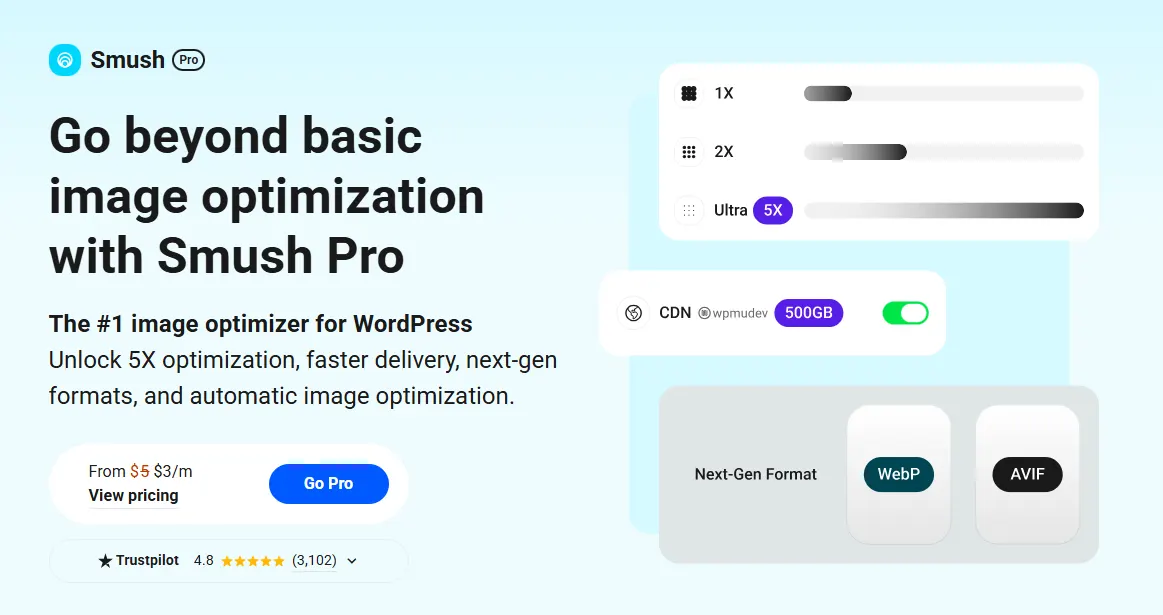
Smush is WPMU DEV’s image optimizer, and it’s one of the most installed plugins in its category. The free version handles lossless compression, bulk optimization, and lazy loading. Its compression engine is mature and cloud-backed, with a “Super Smush” mode for extra savings.
The heavier features sit behind Smush Pro. That includes automatic WebP and AVIF serving, an image CDN spread across a global server network, and automatic resizing to fix oversized images. The free tier also skips any image larger than 5MB, so big files need the paid plan.
Best for: Sites that want proven compression plus a built-in CDN, and don’t mind paying a recurring subscription to unlock the good parts.
ThumbPress vs. Smush: Feature Comparison at a Glance
Here’s the full picture before we get into the details. “Pro” means the feature needs the paid plan.
| Feature | Smush | ThumbPress |
| Compression | ||
| Lossy + lossless compression | ✓ | ✓ |
| Bulk optimization | ✓ | ✓ |
| Full-size image compression | Pro | ✓ (all paid plans) |
| Large files in free tier | Skips over 5MB | No hard cap |
| Next-Gen Formats | ||
| WebP conversion | Pro | ✓ (free) |
| AVIF conversion | Pro | ✓ (bulk Pro) |
| Delivery | ||
| Lazy loading | ✓ (free) | ✓ (free) |
| Image CDN | Pro | ✗ |
| Auto-resize to container | Pro | Via upload limit |
| Media Library Management | ||
| Disable thumbnails | ✗ | ✓ |
| Regenerate thumbnails | ✗ | ✓ |
| Detect duplicate images | ✗ | ✓ |
| Detect unused images | ✗ | ✓ |
| Detect large images | ✗ | ✓ |
| Image upload limit | ✗ | ✓ |
| Replace image, keep URL | ✗ | ✓ |
| Protection | ||
| Hotlink protection | ✗ | ✓ |
| Disable right-click | ✗ | ✓ |
| Pricing | ||
| Free version | ✓ | ✓ |
| Lifetime option | ✗ | ✓ |
The pattern is clear. Smush goes deep on compression and delivery. ThumbPress covers a wider surface, especially around the media library.
Image Compression Compared
This is Smush’s home turf. Its compression has been refined across years and millions of installs, and the cloud-based engine tends to produce reliable savings without fuss. If your single priority is squeezing bytes out of images, Smush has a long, proven track record.
There are two catches. In the free version of Smush, any image over 5MB gets skipped, and full-size original compression is a Pro feature. So the free tier leaves some of your heaviest files untouched.
ThumbPress compresses lossy and lossless too, in bulk or on upload. It doesn’t gate core compression behind cloud size limits in the same way, and every paid plan optimizes unlimited images. Its engine is younger and less battle-tested than Smush’s, which is worth being honest about. If you want the mechanics, we cover how image compression actually works in a separate guide.
Verdict: Smush edges ahead on raw compression maturity. ThumbPress closes most of the gap and doesn’t wall off basic compression behind file-size caps.
WebP and AVIF Conversion
Modern formats matter more every year. Google’s own data on WebP shows it produces files roughly 25 to 34 percent smaller than comparable JPEGs. AVIF pushes compression further still. The 2024 Web Almanac found WebP and AVIF both use fewer bits per pixel than JPEG, which means smaller files at similar quality.
Here’s where the plugins split. ThumbPress moved WebP conversion into its free plugin, so you can convert your library without paying anything. Individual AVIF conversion is also free, and bulk AVIF is a Pro feature in the 6.0 release. It all runs server-side through WordPress’s native image tools.
Smush treats automatic WebP and AVIF serving as a Pro feature. The free tier won’t serve next-gen formats to your visitors automatically.
Want the full breakdown of formats? Our guide on AVIF vs WebP vs JPEG walks through which to use and when.
Verdict: ThumbPress wins on access. You get next-gen formats without a subscription. Once both are paid, their format capabilities land in similar territory.
Delivery, Lazy Loading, and CDN
Both plugins lazy load images for free, deferring off-screen images so pages feel faster on first paint. No real difference there.
The CDN is a different story. Smush Pro includes an image CDN that serves your files from servers around the world, which cuts latency for distant visitors and can lift performance on image-heavy, high-traffic sites. ThumbPress has no CDN. It optimizes images on your server and leaves delivery to your host or a separate CDN.
Credit where it’s due. For sites that live and die on global load times, a bundled CDN is a genuine advantage, and Smush owns this category.
Verdict: Smush wins clearly. If CDN delivery is your top concern, this is its strongest reason to exist.
Media Library Management: Where ThumbPress Pulls Ahead
So what happens to all those thumbnails and stray files after a year of publishing? On most sites, nothing. They just sit there, quietly bloating the media library. Smush doesn’t touch this problem. ThumbPress was built for it.
Duplicate and Unused Image Detection

Multi-author sites and content migrations breed duplicate files. ThumbPress scans, flags, and bulk-removes them.
It also surfaces orphaned images from deleted posts and abandoned drafts. Smush compresses duplicates and orphans right alongside everything else. It never tells you they’re there.
Large Image and Upload Limit Control

ThumbPress flags images above a size threshold you set, so you can compress or delete them in one pass. It also caps upload size at the source, which stops oversized files before they slow a page down. This matters, because the 2024 Web Almanac found the median WordPress site still ships around 725KB of images per mobile page.
Thumbnail Management
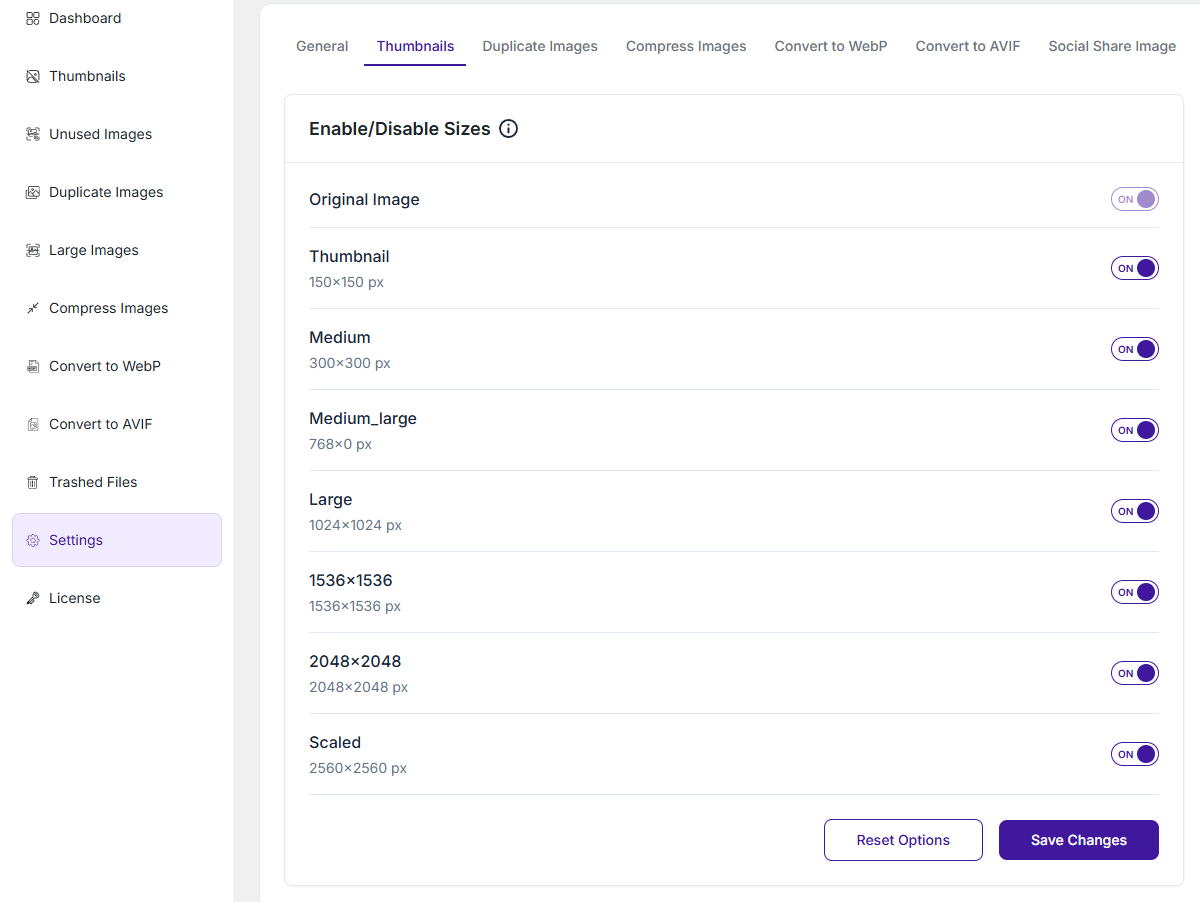
WordPress generates at least five thumbnail sizes per upload, and themes push that higher. ThumbPress lets you disable the sizes you don’t use and regenerate the ones you do after a theme change.
Smush has no thumbnail control at all.
Hotlink Protection and Image Replace
ThumbPress blocks other sites from embedding your images and draining your bandwidth. It also lets you swap an image for a new version without breaking the existing URL. Neither is part of Smush.
Verdict: ThumbPress wins decisively. This is a whole category Smush simply doesn’t cover.
ThumbPress vs Smush: Pricing Compared
Price is where the two diverge most sharply, and not just on the numbers.
| ThumbPress | Smush | |
| Free version | Yes | Yes |
| Paid model | Annual or one-time lifetime | Subscription only, via WPMU DEV |
| Entry paid price | $59/year or $119 lifetime (1 site) | Entry price (from$36/year for the WPMU DEV suite) |
| Multi-site | $119/yr or $239 lifetime (5 sites); $299/yr or $599 lifetime (unlimited) | $60/yr (3 sites); $120/yr (10 sites); $2000/yr (unlimited sites) |
| Images | Unlimited on all plans | Unlimited (Pro) |
| Lifetime option | Yes | No |
| Money-back | 30 days | 30 days |
ThumbPress pricing gives you a real one-time option. Pay once, own it, keep the updates for the life of the license. Every plan covers unlimited images with no credits or quotas.
Smush Pro has no lifetime plan. It’s subscription-only through WPMU DEV, either standalone or as part of the broader membership. That membership bundles other plugins and the CDN, which adds value if you’ll use the whole suite. If you only want image optimization, you may end up paying for tools you don’t touch.
Verdict: ThumbPress wins on cost structure, mostly on the strength of its lifetime option and flat unlimited pricing. Smush Pro’s value lies in the bundled CDN and the wider WPMU DEV toolkit.
ThumbPress vs. Smush: Which Plugin Fits Your Website?
Different sites need different things. Here’s an honest read by type.
| Site type | Better pick | Why |
| Personal or content blog | Either | Both compress and lazy load for free. ThumbPress adds free WebP. |
| WooCommerce store | ThumbPress | Product image cleanup and upload limits keep a slow store in check. |
| Global, high-traffic site | Smush | The Pro CDN delivers images faster across regions. |
| Large or messy media library | ThumbPress | Duplicate, unused, and large-image detection do real cleanup. |
| Agency managing many sites | ThumbPress | Unlimited-site plans and a lifetime option cut long-term cost. |
| Photography or portfolio | Smush | Mature compression protects visual quality at scale. |
Notice that neither plugin sweeps the board. That’s the point. They’re built for different jobs.
The Verdict
These two plugins aren’t really fighting for the same job. Smush is a compression and delivery specialist with a huge install base and a strong Pro CDN. ThumbPress is a comprehensive image and media library suite that also compresses and converts.
So choose by need. Want proven compression plus global CDN delivery, and fine with a subscription? Smush is a solid pick. Want compression, free WebP, real library cleanup, and a lifetime price? ThumbPress does more for less over time.
If you’re weighing other options too, it’s worth seeing how ThumbPress compares to ShortPixel before you commit. And if the all-in-one approach sounds right, you can try ThumbPress free and upgrade only when you need the Pro tools.
Which problem is actually slowing your site down: heavy images, or a library full of clutter? Answer that, and the right plugin picks itself.
Frequently Asked Questions
Is ThumbPress better than Smush?
It depends on what your site needs. ThumbPress is better for media library cleanup, free next-gen formats, and lifetime pricing. Smush is better for mature compression and a built-in CDN. For most content sites and stores that want broad control in one plugin, ThumbPress covers more ground.
Is the free version of Smush good enough?
For basic compression and lazy loading, yes. The free tier handles everyday optimization well. Its limits show up fast, though. It skips images over 5MB and keeps WebP, AVIF, and the CDN behind Pro. If you need modern formats without paying, ThumbPress offers more in its free plugin.
Does ThumbPress compress images as well as Smush?
For most sites, the difference is small. Smush’s compression engine is older and more proven, so it holds a slight edge on raw savings and edge cases. ThumbPress compresses lossy and lossless without the free-tier size cap, and results tend to be close for typical web images.
Can I use ThumbPress and Smush together?
You can, but it’s rarely a good idea. Two plugins optimizing the same images can double-process files and cause conflicts. A cleaner approach is to pick one for compression and delivery, then use the other only if you need a feature it uniquely provides. In practice, one well-chosen plugin is enough.