A slow store is one of the most expensive problems you can’t easily see in a report. Your traffic looks healthy, your ads are running, but somewhere between the click and checkout, shoppers are leaving, and most never tell you why.
Site speed is often the reason. When a page takes too long to load, shoppers don’t wait. They leave for a competitor with a faster website, and that sale may be gone for good. Many common performance issues can be fixed with simple changes, often without spending a cent.
In this guide, you’ll find a practical checklist to speed up your ecommerce store, starting with the fixes that can deliver the biggest impact and working through the issues that quietly slow your site down.
The Short Version
Want the fast answer?
To speed up your ecommerce store, fix these seven things, roughly in order of impact:
- Compress and right-size your images
- Convert images to WebP or AVIF
- Lazy load everything below the fold (but never your hero)
- Cut plugin and script bloat
- Add page caching and a CDN
- Clean up redirect chains and unused requests
- Move to faster hosting if your server response is slow
Do the first three and most stores see a visible jump on their next PageSpeed test. The rest compound from there.
| Fix | Effort | Typical impact |
| Image compression + resizing | Low | High |
| WebP / AVIF conversion | Low | High |
| Lazy loading | Low | Medium–High |
| Plugin/script cleanup | Medium | High |
| Caching + CDN | Medium | High |
| Fixing redirects & requests | Medium | Medium |
| Better hosting | High | High |
Why a Slow Ecommerce Store Quietly Kills Sales
Shoppers have almost no patience left. Most expect a page to load in two seconds or less, and they start abandoning sites at around three seconds, according to Mozilla’s web performance guide. On mobile, where a lot of store traffic now lives, that patience is even thinner.
The numbers behind this are hard to argue with. The BBC found it lost 10% of users for every extra second its site took to load. On the other side of the ledger, when Vodafone improved its loading speed, sales climbed measurably. Small speed changes move real money.
Speed also feeds your rankings. Google uses Core Web Vitals as part of how it ranks pages, so a faster store tends to show up higher and pull in more traffic to begin with. Slow stores get hit twice: fewer visitors, and fewer of those visitors converting.
Ecommerce feels this harder than a blog does. A reader might tolerate a slow article. A shopper comparing three tabs will not. Switching cost is zero. If your product page hangs, the next store is one click away.
For the full picture, our complete ecommerce speed optimization guide goes deeper than this checklist. This post is the fast-start version.
How Fast Should Your Ecommerce Store Load? (Measure First)
You can’t fix what you haven’t measured. Before touching anything, get a baseline. It takes five minutes and it stops you from guessing.
Run PageSpeed Insights or Lighthouse
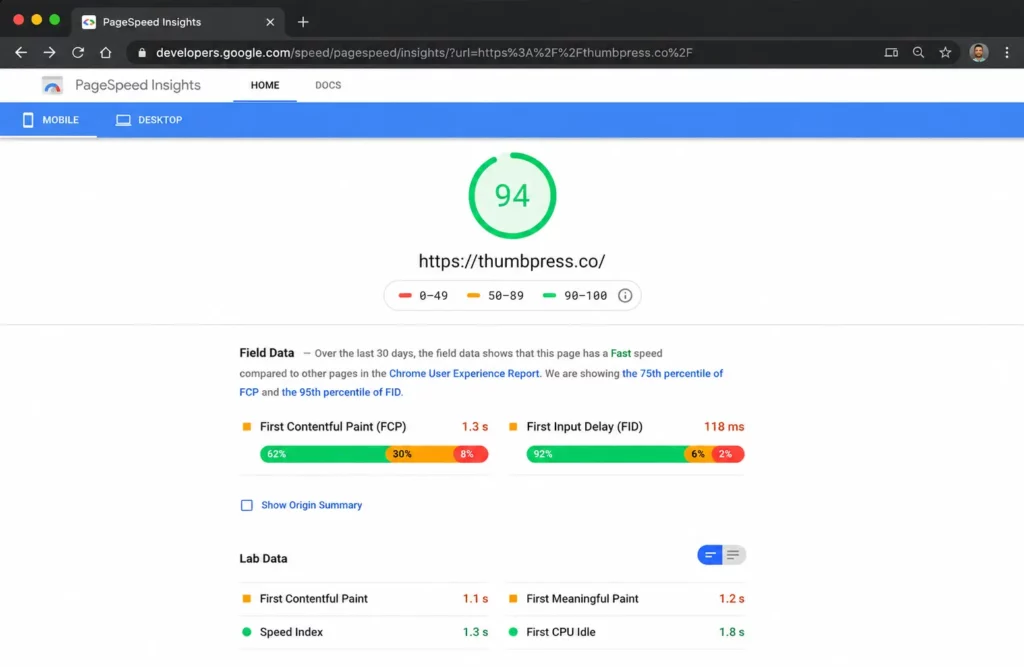
Google’s PageSpeed Insights gives you both lab data and real-world field data from actual visitors. Cloudflare recommends starting with measurement, too, since knowing your current performance is the only reliable way to tell which fixes will help. Test your homepage and a couple of product pages, not just the front page.
Aim for LCP under 2.5 seconds
The metric that matters most for stores is Largest Contentful Paint, which measures how long your biggest visible element takes to appear. Google’s target is 2.5 seconds or less for 75% of visits. On most product pages, the biggest element is an image, which is exactly why images come first on this list.
Check Core Web Vitals in Search Console
If you want to speed up your ecommerce store, don’t rely on PageSpeed Insights alone. Google Search Console gives you a broader view of your site’s Core Web Vitals and shows which groups of URLs are performing well or need improvement.
Look for:
- Good: URLs meeting Google’s performance thresholds.
- Needs improvement: URLs that could benefit from optimization.
- Poor: URLs with performance issues that should be prioritized.
If many URLs under the same product, category, or checkout template are failing, the problem may be with the template itself rather than individual pages. Fixing the underlying issue can improve performance across multiple pages at once.
For a simple explanation of each metric, check our Core Web Vitals breakdown.
7 Fixes That Speed Up Your Ecommerce Store
If you only do one thing to speed up your ecommerce store on this list, do this one. Images are almost always the heaviest thing on an ecommerce page. On the median mobile homepage, they account for around 900 KB of the total load, more than any other resource type. Product catalogs make it worse, since every item adds more photos.
WordPress doesn’t help by default. It keeps the full-size file you upload and often serves images far larger than they display. A 4000-pixel DSLR shot squeezed into a 600-pixel product slot is pure waste.
Fix 1: Compress and right-size product photos
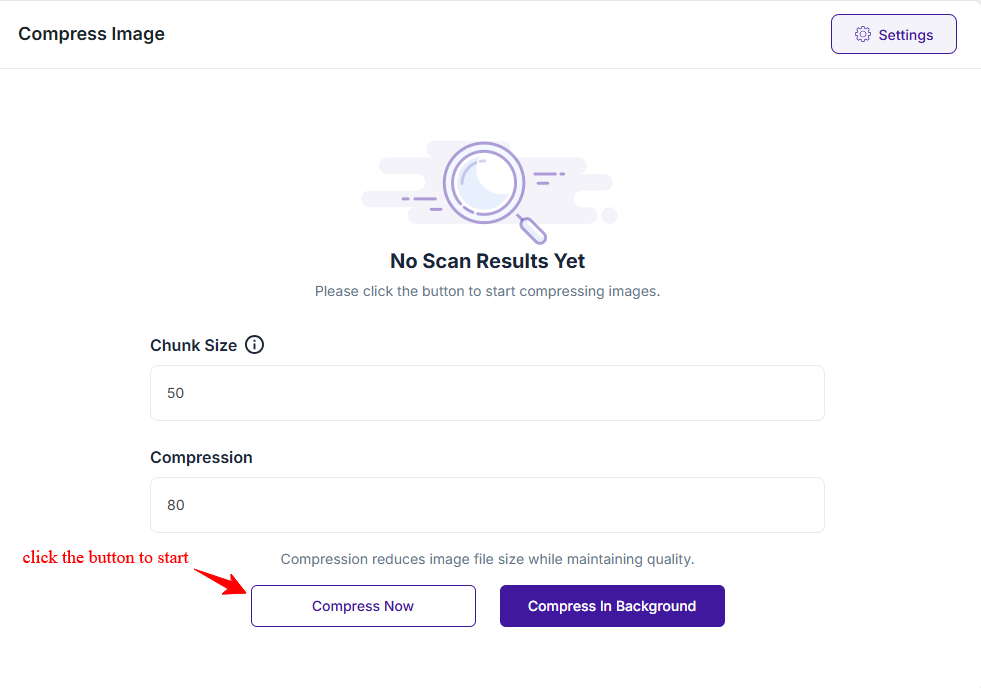
To speed up your ecommerce store, start by compressing every image and capping the dimensions to what your theme actually shows. A quality setting around 80% usually cuts file size hard with no visible loss. Match your uploads to the correct WooCommerce product image sizes so WordPress isn’t scaling giant files on the fly.
This is where a tool earns its place. ThumbPress compresses your whole media library in bulk and optimizes new uploads automatically, so the DSLR photos your team drops in stay under control without manual work.
Fix 2: Convert to WebP or AVIF
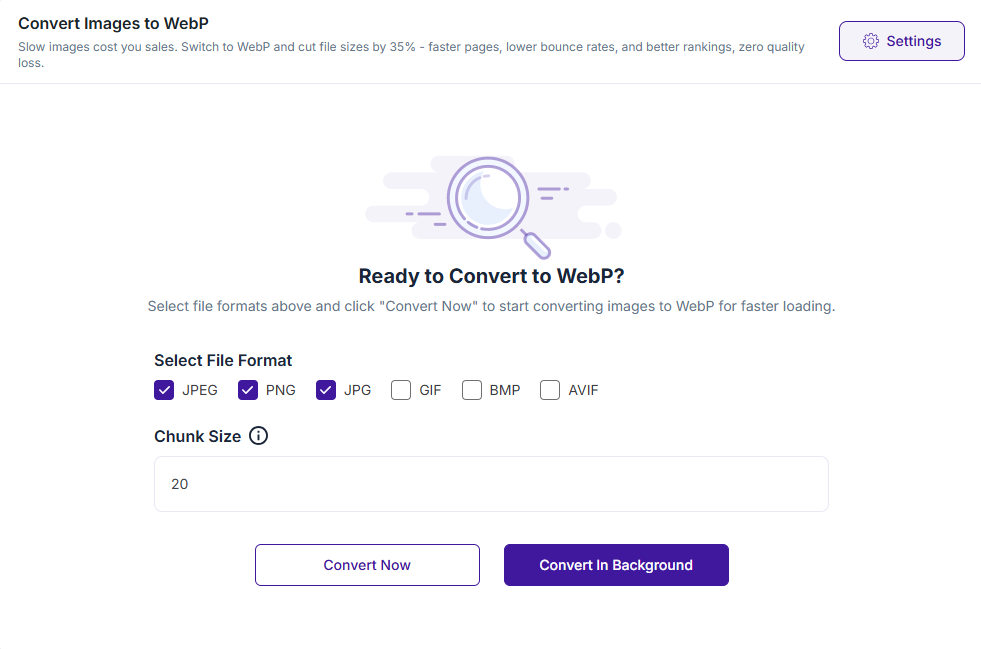
Older JPG and PNG files are heavier than they need to be. WebP runs 25 to 35% smaller at the same visible quality, and AVIF goes further still. Google’s own guidance for a fast page is to size, compress, and use a modern format on your main image. You can convert your images to WebP across the whole library and serve the modern format to browsers that support it, with an automatic fallback for the ones that don’t.
Fix 3: Lazy load below the fold (never your hero)
Lazy loading holds off on loading images until a visitor scrolls near them. That speeds up the first paint and saves bandwidth, especially on mobile.
One rule, though: never lazy-load your hero or main product image. It’s usually your LCP element, and delaying it drags your score the wrong way. Load it right away, lazy load the rest.
Trim Everything Else Slowing Your Store Down
Images are the big win. These are the rest, and together they add up.
Fix 4: Cut Plugin and Script Bloat
Too many plugins and unnecessary scripts can make it harder to speed up your ecommerce store. Many WordPress plugins load their CSS and JavaScript across your site, even on pages where those assets aren’t needed.
For example, a checkout-related script doesn’t need to load on a blog post. The more unnecessary assets your pages load, the more work the browser has to do.
Start by:
- Removing unused plugins you no longer need.
- Disabling unnecessary scripts on pages where they aren’t used.
- Using an asset manager to control which CSS and JavaScript files load on each page.
If your WooCommerce store still feels sluggish, our guide on why your WooCommerce store is slow covers the most common causes.
Fix 5: Add Caching and a CDN
One of the easiest ways to speed up your ecommerce store is to use caching and a CDN.
Page caching stores a ready-made version of your pages, so your server doesn’t have to rebuild them for every visitor. A CDN stores static files like images, CSS, and JavaScript on servers around the world, delivering them from a location closer to each shopper.
Together, caching and a CDN can reduce load times, lower server load, and create a faster shopping experience. Just make sure dynamic WooCommerce pages like Cart, Checkout, and My Account aren’t cached incorrectly.
Fix 6: Clean Up Redirects and Extra Requests
To speed up your ecommerce store, reduce the number of requests and redirects your pages need to make. Every image, script, stylesheet, and external resource adds another request that the browser has to process.
Pay particular attention to redirect chains. An old product URL that passes through two or three redirects before reaching the final page adds unnecessary delay.
Start by:
- Removing unnecessary redirects.
- Replace redirect chains with a direct redirect to the final URL.
- Reducing unnecessary scripts, styles, and external resources.
- Checking your pages for excessive requests.
Cloudflare also recommends cutting redirects and keeping requests to a minimum as a practical way to improve website performance.
Fix 7: Fix Slow Hosting and TTFB
To speed up your ecommerce store, you also need to look at your hosting. If your server takes too long to respond, front-end optimizations can only do so much.
Time to First Byte (TTFB) is a useful metric for measuring how quickly your server starts responding. Slow or overloaded shared hosting can lead to high TTFB, especially as your traffic grows.
If your store has outgrown its current hosting plan, upgrading to faster, better-equipped hosting can make a noticeable difference in page speed and overall performance.
Start With the Fix That Pays Off Fastest
Speeding up your ecommerce store isn’t one big project. It’s a short stack of fixes, and the order matters. Measure first so you know where you stand. Optimize your images, because that’s where most of the weight is hidden. Then trim the plugins, caching, and redirects that quietly pile on.
You don’t need to do all seven today. Start with the images. Compress the library, convert to WebP, and leave your hero image loading eagerly. Most stores see the difference on their very next PageSpeed run.
A practical way to speed up your ecommerce store is to start with image optimization. Get ThumbPress free and handle bulk compression, WebP conversion, and thumbnail cleanup from one dashboard.
Frequently Asked Questions About Ecommerce Speed
How fast should an ecommerce store load?
Aim for two seconds or less. Shoppers begin abandoning sites at around three seconds, and the strongest conversion rates cluster on pages that load in one to two. For a technical target, keep your Largest Contentful Paint under 2.5 seconds on both mobile and desktop.
Does site speed affect ecommerce SEO?
Yes, directly. Google uses Core Web Vitals as a ranking signal, so a faster store tends to rank higher in search results. Speed also affects crawl efficiency and bounce rate, both of which feed into how your pages perform over time. Faster pages help you rank, and then help you convert the traffic once it arrives.
What slows down a WooCommerce store the most?
Usually, images and plugin bloat, in that order. Unoptimized product photos add the most weight, and WooCommerce, plus a stack of plugins loading scripts on every page, adds the most drag. Start with image optimization, then clean up which scripts load where.
Can I speed up my store without a developer?
For most of this list, yes. Image compression, WebP conversion, lazy loading, caching, and a CDN are all plugin- and settings-based, requiring no code. Hosting upgrades and deeper redirect audits may need a hand, but the highest-impact fixes sit firmly in DIY territory.