My site doesn’t show the update notice, what to do?


For some technical reasons, sometime it may take longer to show the update notice after releasing a version in your dashboard. If it happens with you (and you know there is a newer version available), please follow these steps-
1. Go to https://my.pluggable.io and log in.
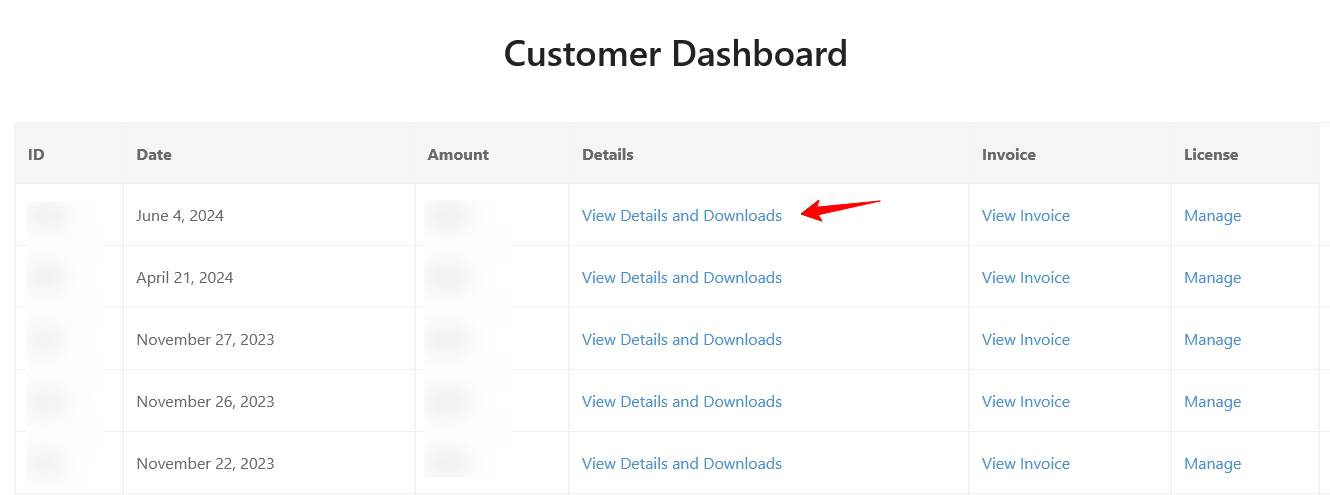
2. Navigate to Customer dashboard and click View Details and Downloads from the orders list.
3. Scroll down and go to the Products section and download the plugin.

4. Fianlly, Install and activate it on your site.
This process is same for the plugin you purchased. Please reach out to us if you require further assistance.
Was this doc helpful?
Subscribe to Our Newsletter
Get the latest WordPress tutorials, trends, and resources right in your inbox. No Spamming, Unsubscribe Anytime.

Thank you for subscribing to our newsletter!