Unused Images


Overview
As your website grows, your media library may accumulate images that are no longer linked to any posts, pages, or content. These unused files take up unnecessary space and can slow down backups and site management.
The Unused Images feature in ThumbPress helps you identify media files in your WordPress library that are not currently used anywhere on your website. Removing these unused images can significantly reduce storage usage and improve overall site performance.
Navigate to Unused Images
Go to ThumbPress → Unused Images from your WordPress dashboard.
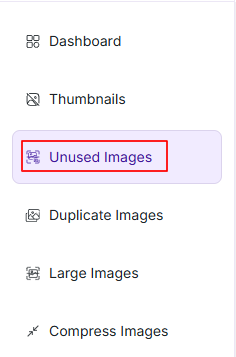
Unused Images mainly work in two steps
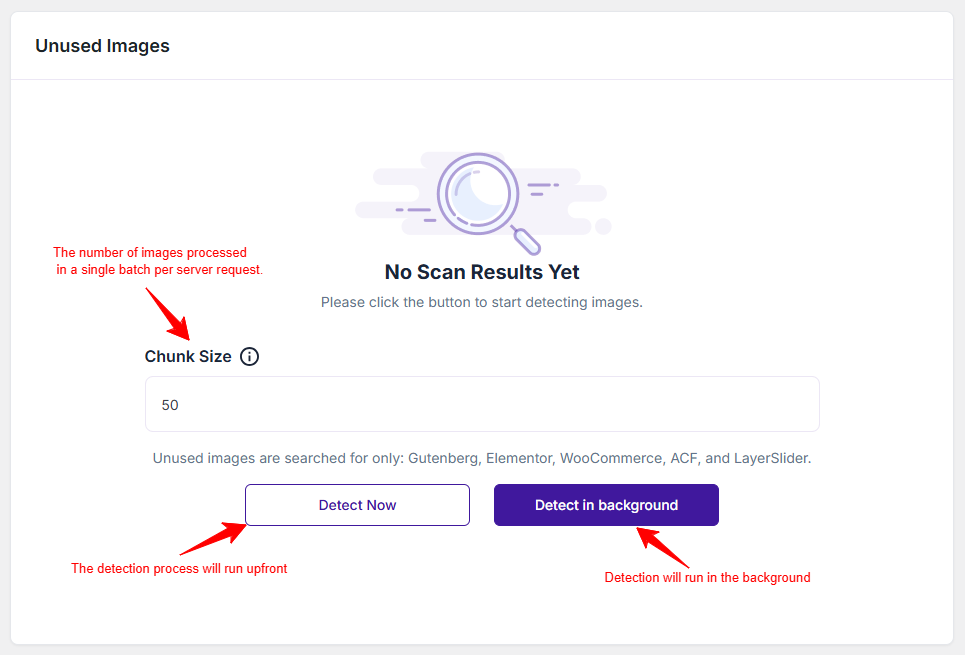
Step 1: Set Chunk Size
Enter a Chunk Size value (default: 50).
Note: This number refers to how many images are processed per request. Lower values are recommended for slower servers. (For Detect Now: 5-10, For Detect in Background: 15-20)
Step 2: Start Detection
You have two options:
- Detect Now: Runs the scan immediately in your browser. Best for smaller media libraries.
- Detect in Background: Runs the scanning in the background so you can switch to other tabs.
Scan Results
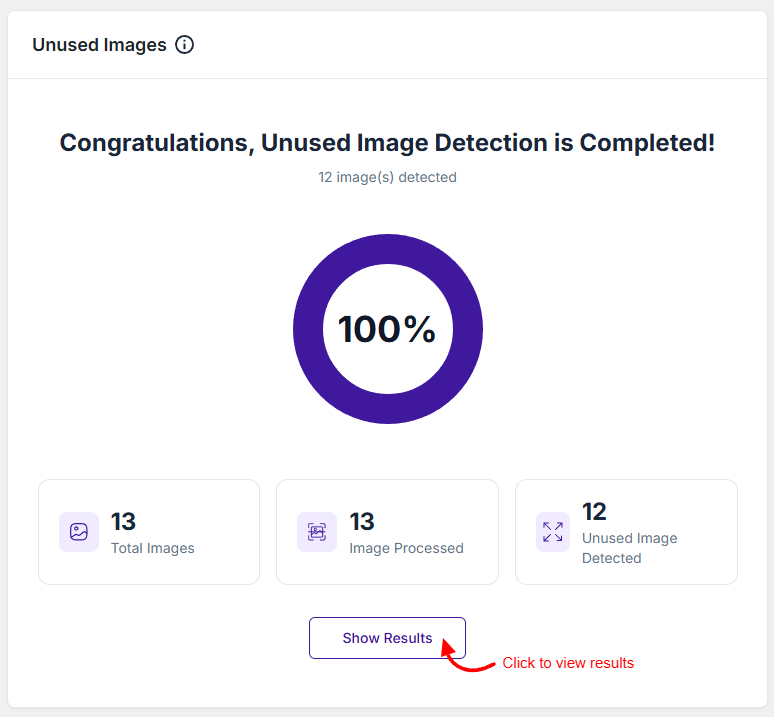
After the scan is complete, please click on the Show Results button, and you will see
- A list of unused images will be displayed, from where you can see the unused images, download them, or move them to the trash folder.
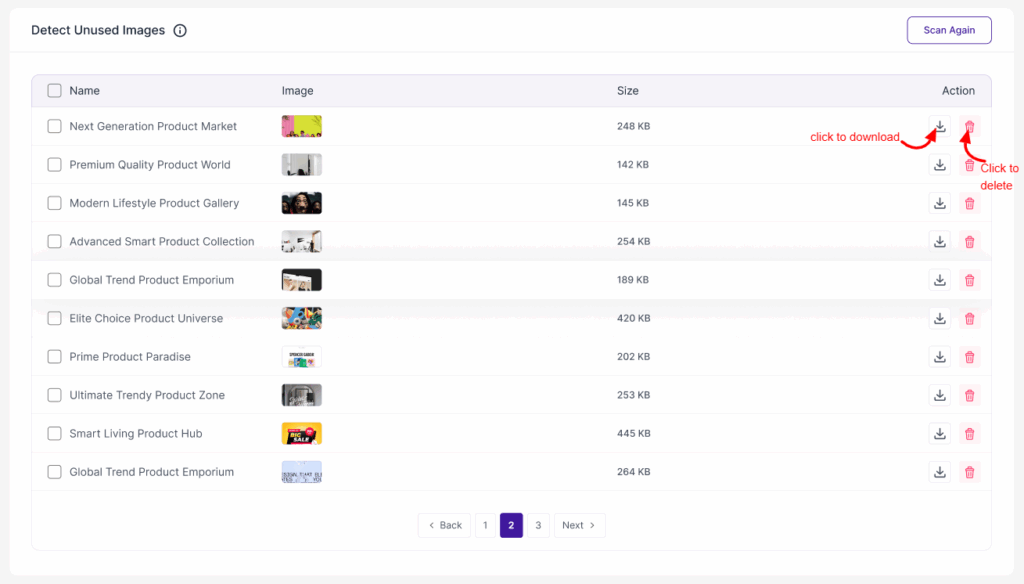
Click ‘Scan Again’ to start the process again. Also, you can restore the deleted images from the ‘Trashed Files’ tab anytime.
Was this doc helpful?
Subscribe to Our Newsletter
Get the latest WordPress tutorials, trends, and resources right in your inbox. No Spamming, Unsubscribe Anytime.

Thank you for subscribing to our newsletter!