Convert to AVIF Settings


The Convert to AVIF feature in ThumbPress helps you optimize your website images by converting them into the modern AVIF format which offers superior compression and better image quality compared to traditional formats like JPG and PNG.
To access this feature, navigate to:
WordPress Dashboard → ThumbPress → Settings → Convert to AVIF
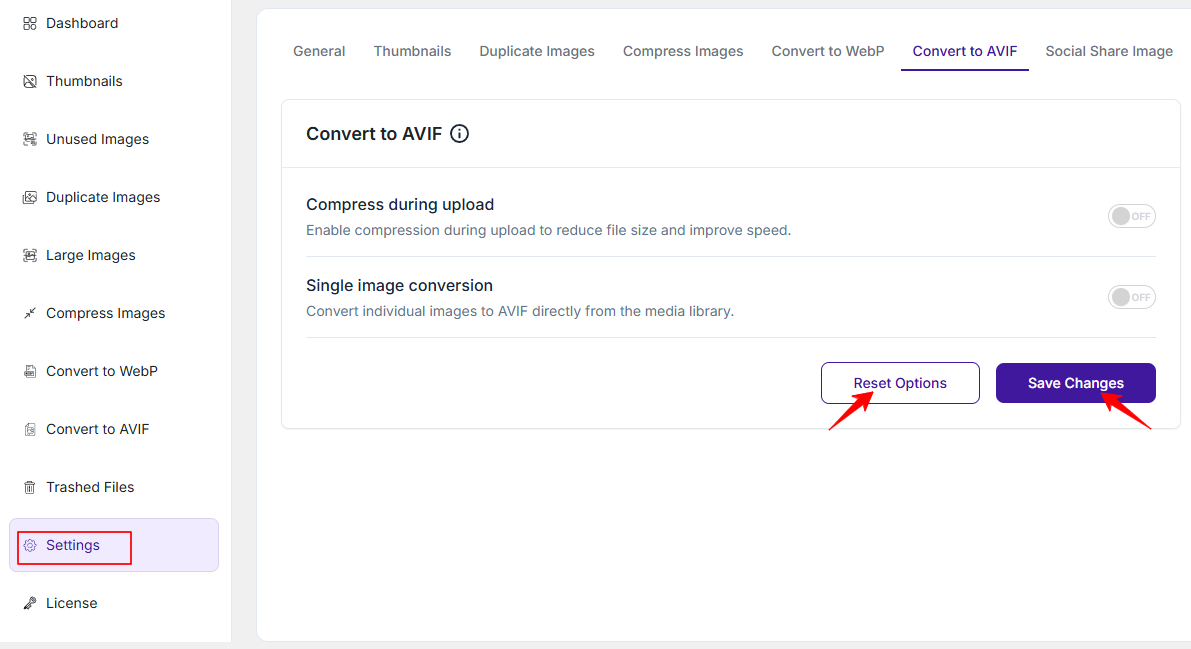
1. Compress During Upload
Enable this option to automatically convert and compress images into AVIF format at the time of upload.
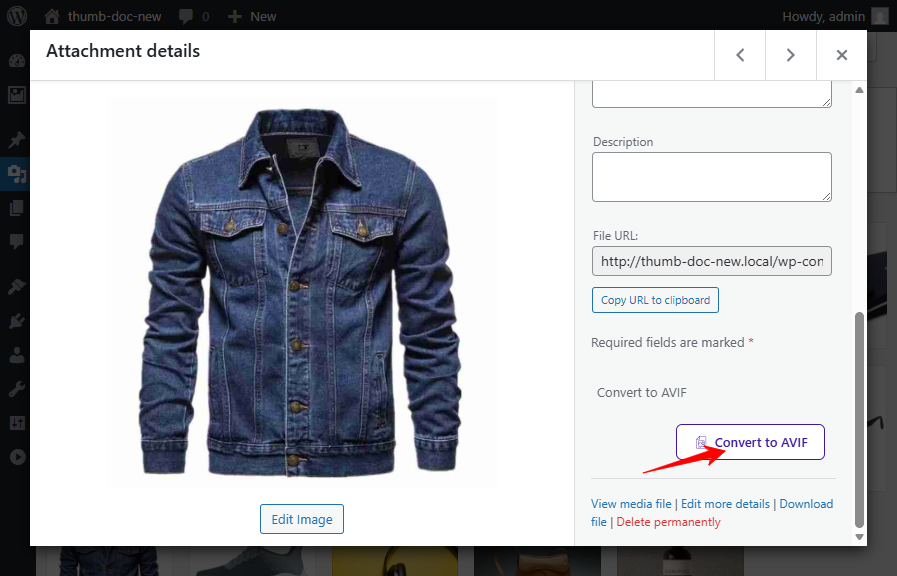
2. Single Image Conversion
This option allows you to convert individual images into AVIF format directly from the media library.
Save or Reset Settings
- Save: Save your changes to apply them. Without saving, nothing will take effect.
- Reset: Oppositely, click “Reset” anytime to restore the default settings.
Bulk AVIF Conversion
To know more about converting images to AVIF in bulk, please read this doc.
Was this doc helpful?
Subscribe to Our Newsletter
Get the latest WordPress tutorials, trends, and resources right in your inbox. No Spamming, Unsubscribe Anytime.

Thank you for subscribing to our newsletter!