I renewed my license but the renewal notice still shows. What now?


If you’ve paid for the renewal successfully. In 24 hours, the notification will be automatically deleted. I want to assure you that you should not be worried about it.
There is another way to remove the renewal message instantly from the site. You must deactivate the license and activate it again. This process is applicable for all the Codexpert plugins.
To reactivate the license, follow the instructions below:
Step 1: Go to your site Dashboard >> ThumbPress >> License page. For ThumbPress, go to your site dashboard ThumbPress >>License.
Step 2: Click on the Deactivate button.
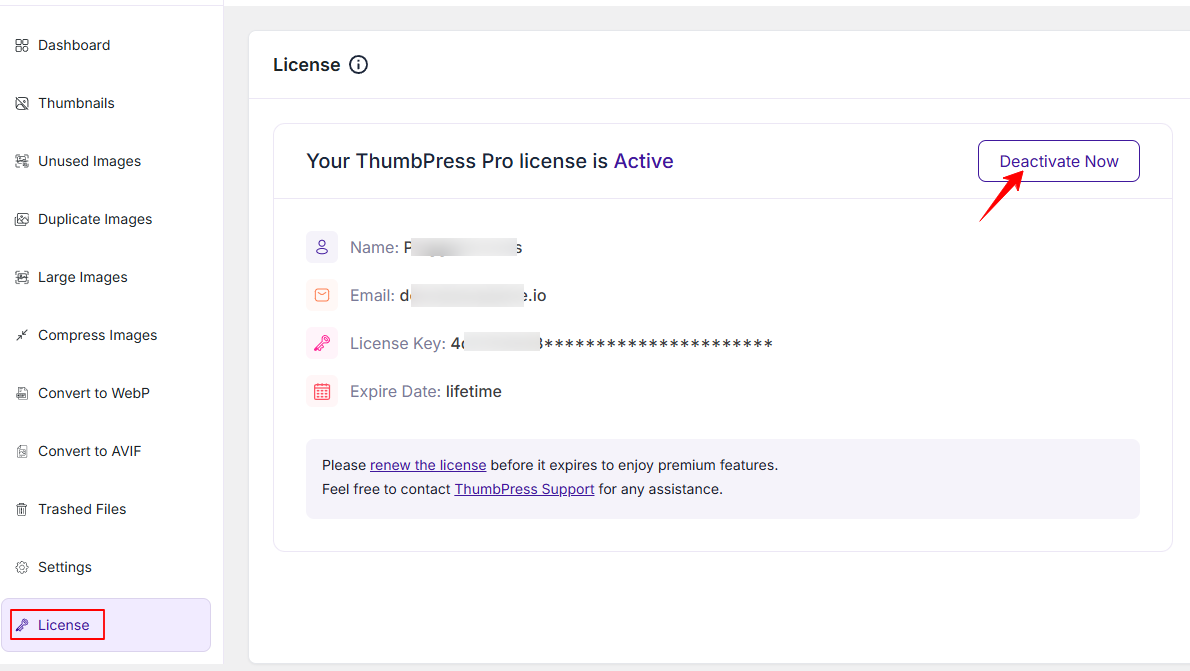
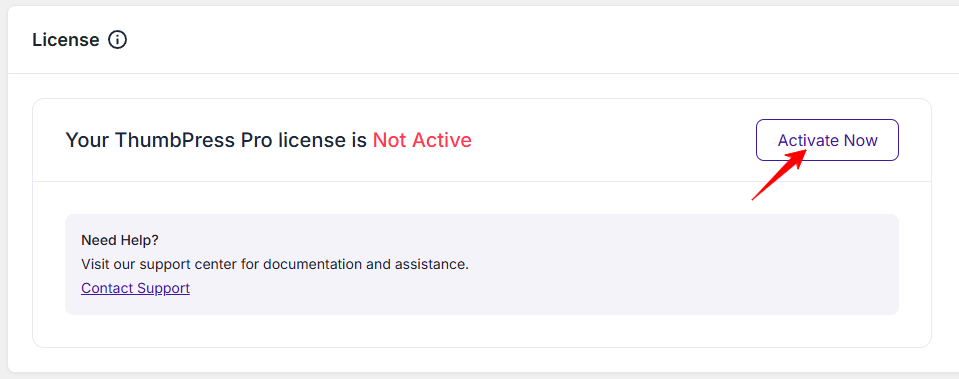
After clicking on the deactivate button, the Activate button will appear. By clicking on the Activate Now button, the license will be activated. In addition, the renewal license notice will be removed instantly.
If you need any kind of assistance, please don’t hesitate to reach out to our support.
Was this doc helpful?
Subscribe to Our Newsletter
Get the latest WordPress tutorials, trends, and resources right in your inbox. No Spamming, Unsubscribe Anytime.

Thank you for subscribing to our newsletter!