How to renew my license?


You can get the option to renew your product license from the Pluggable dashboard. To have a better understanding, please follow the steps below-
- First, you have to go to https://my.pluggable.io and log in with your credentials.
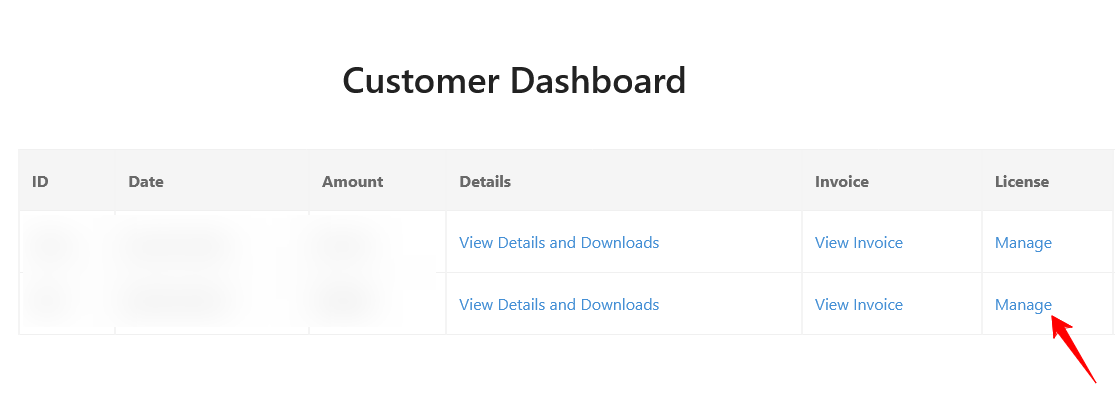
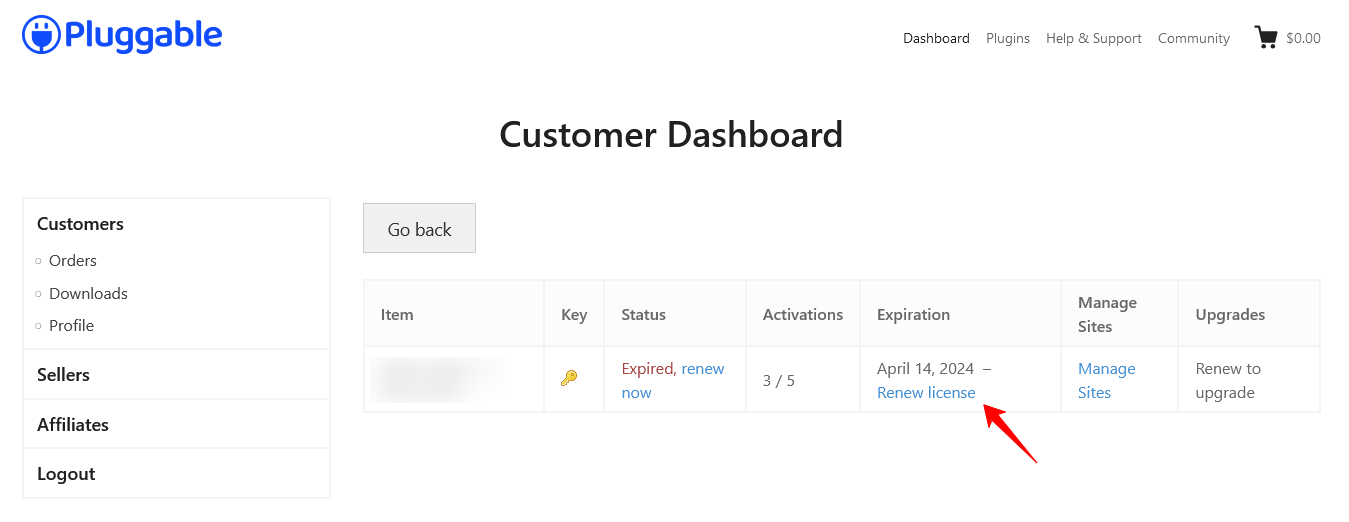
- From the Customer dashboard page, click on the Manage button .
- On the next screen, you can see a link that says Renew License.
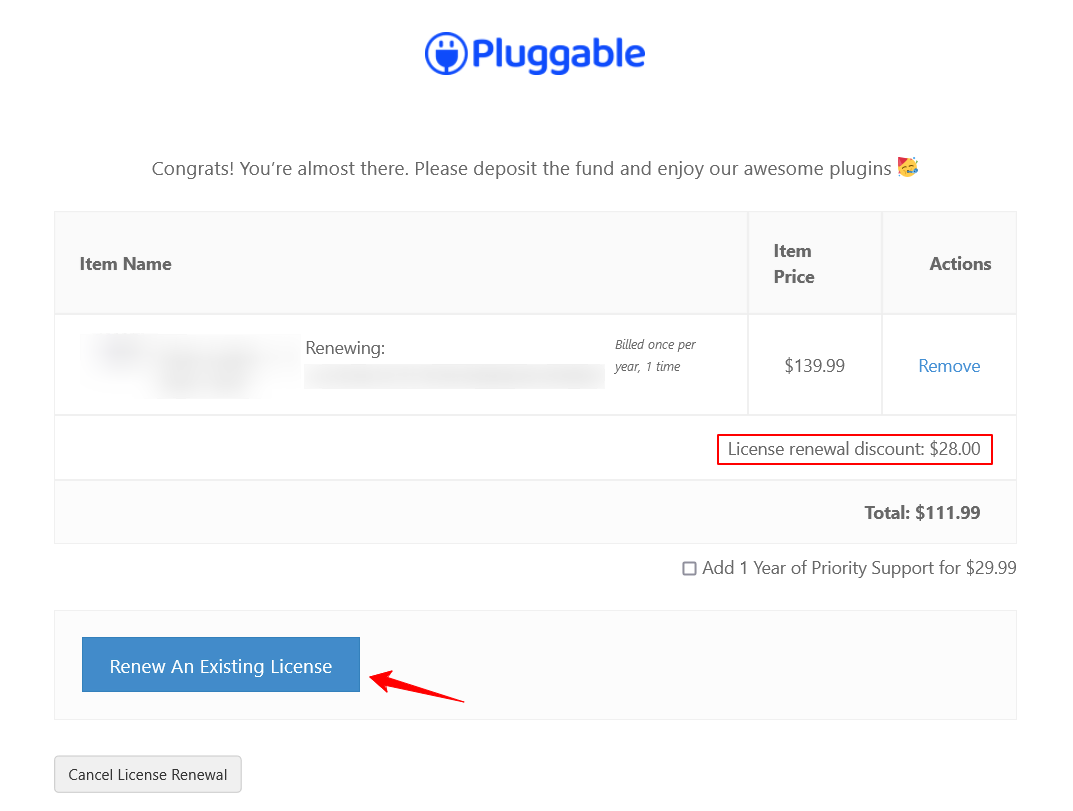
- After selecting the Renew License button, It’ll take you to the payment page. If you are going to renew your website license, in every renewal you will get 20% discount. You can directly renew your existing license by selecting the Renew An Existing License button.
5. Below on that page, provide your personal info, card details and agree to our privacy and policy. Finally, click on the Purchase button.
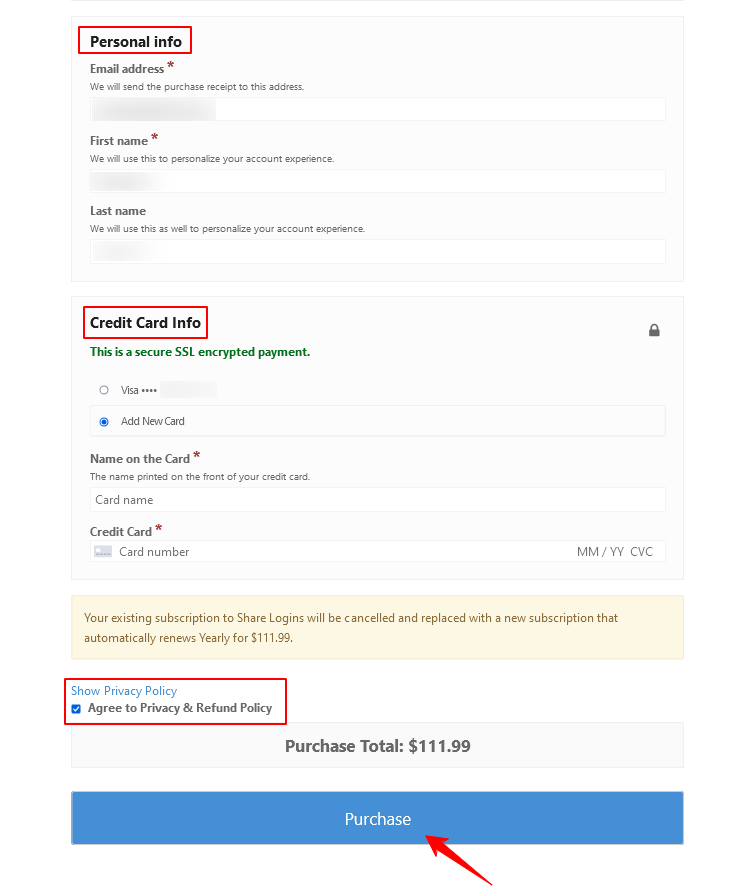
After completing the above process your renewal will be completed. In case, you’re encountering any issues please reach out to our support. Our friendly support will reach out to you within 24 hours.
Was this doc helpful?
Subscribe to Our Newsletter
Get the latest WordPress tutorials, trends, and resources right in your inbox. No Spamming, Unsubscribe Anytime.

Thank you for subscribing to our newsletter!