How do I upgrade my license?


You can follow the below steps to upgrade the license:
1. Go to https://my.pluggable.io
2. Click on the Manage tab under the License. On the following screen, you’ll find a link labeled View Upgrades. Click on it.
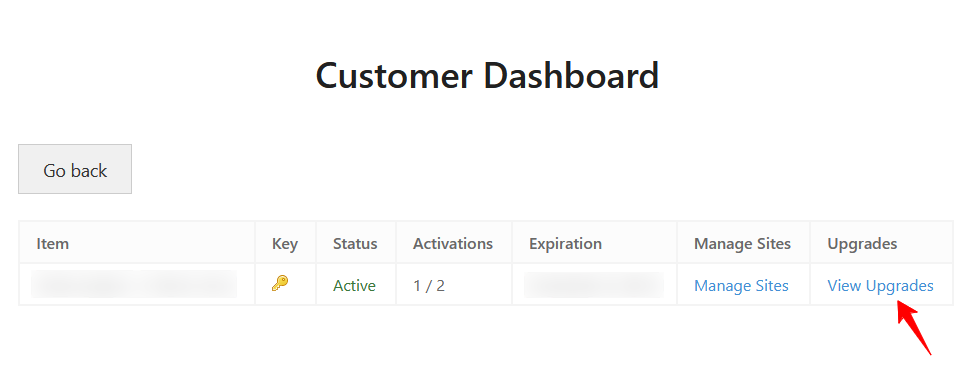
3. Choose the plan you want to upgrade to and select Upgrade License. It’ll take you to the payment page. Make the payment and you are all set! Your license will be upgraded with the adjusted price.

Alternatively, you can share your order ID or the license key with us so we can share the direct link with you.
If you need any kind of assistance while upgrading the license, please don’t hesitate to reach out to our support.
Was this doc helpful?
Subscribe to Our Newsletter
Get the latest WordPress tutorials, trends, and resources right in your inbox. No Spamming, Unsubscribe Anytime.

Thank you for subscribing to our newsletter!